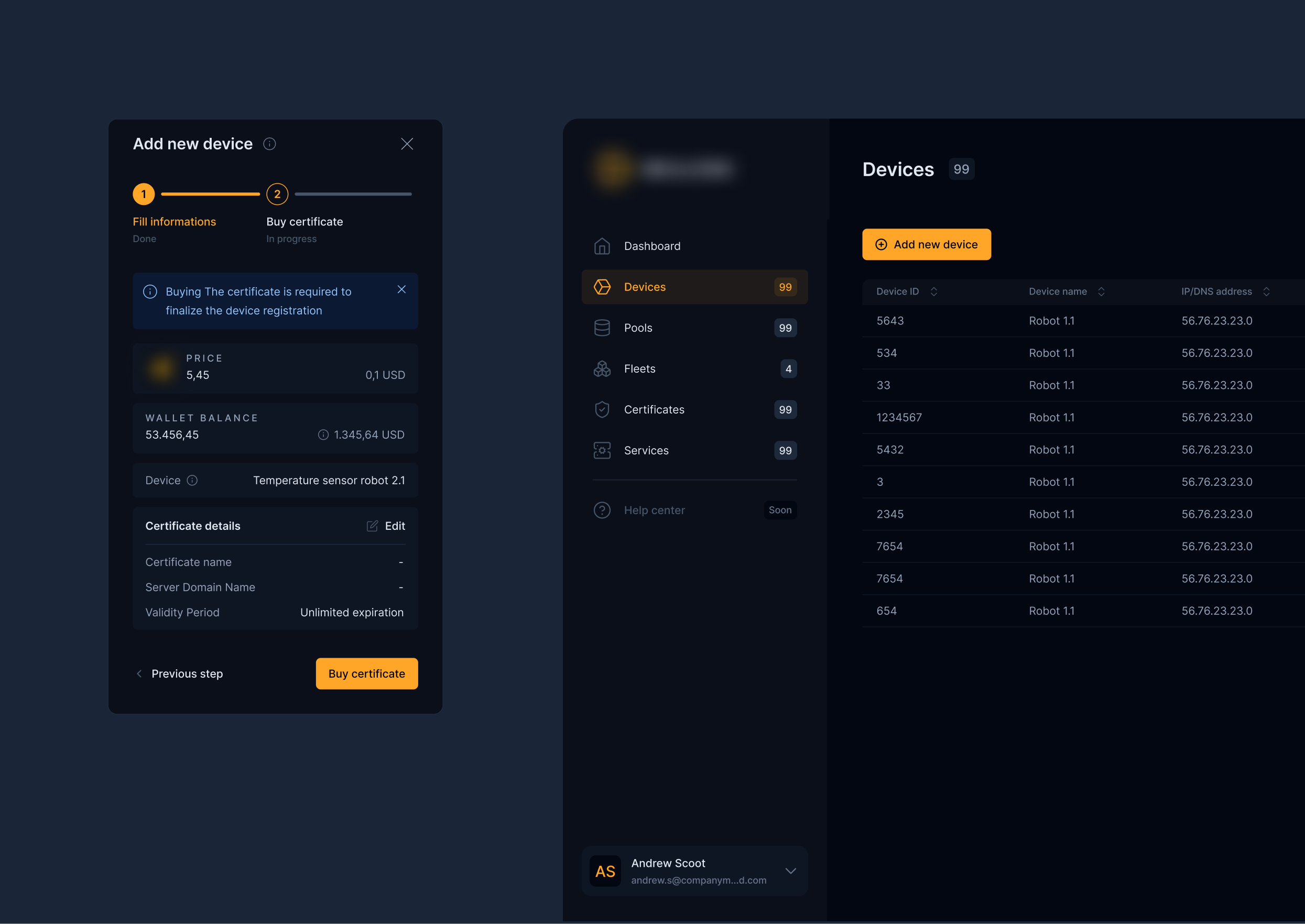
Add a new device
and buy a certificate
- UX research
- Design system
- Mobile
- Jira
- Figma
- Claude
- FigJam
- Miro
- Product design
Note: Due to the NDA, the project name and branding details have been anonymized.
In this project, I was responsible for the entire design process, including decision-making and collaboration with business stakeholders and developers. Beyond the scope presented in this case study, I designed many more processes within the application. I was involved in the project until the MVP stage. The UX process was intentionally limited due to the short deadline for delivering the MVP to investors.
1. Project challenges
Key problems to solve
- Certificates expiring after a defined period of time.
- The ability to assign a certificate to another device.
- Support for multiple certificates assigned to one device.
- No possibility for a device to exist without an active certificate.
- The need to manage certificates, including revoking them.
- The need to clearly guide the user through certificate purchase and installation.
2. UX process
I started the UX design process with broad research, analyzing different patterns for adding assets and configuring them on popular platforms. I drew inspiration from:
- Posting flows in multi-step forms, e.g. OLX, Airbnb, Allegro.
- Adding devices in IoT ecosystems, e.g. Xiaomi Home, Google Home.
- Managing subscriptions and licenses, e.g. Apple, Microsoft, Figma.
- Buying crypto/NFT tokens and payment flows, e.g. OpenSea, Binance, Klarna.
Based on this work, I prepared an initial user flow that I then developed iteratively in collaboration with the business team. During regular meetings, we reviewed the proposed solutions against technical requirements and product goals.
3. Design system
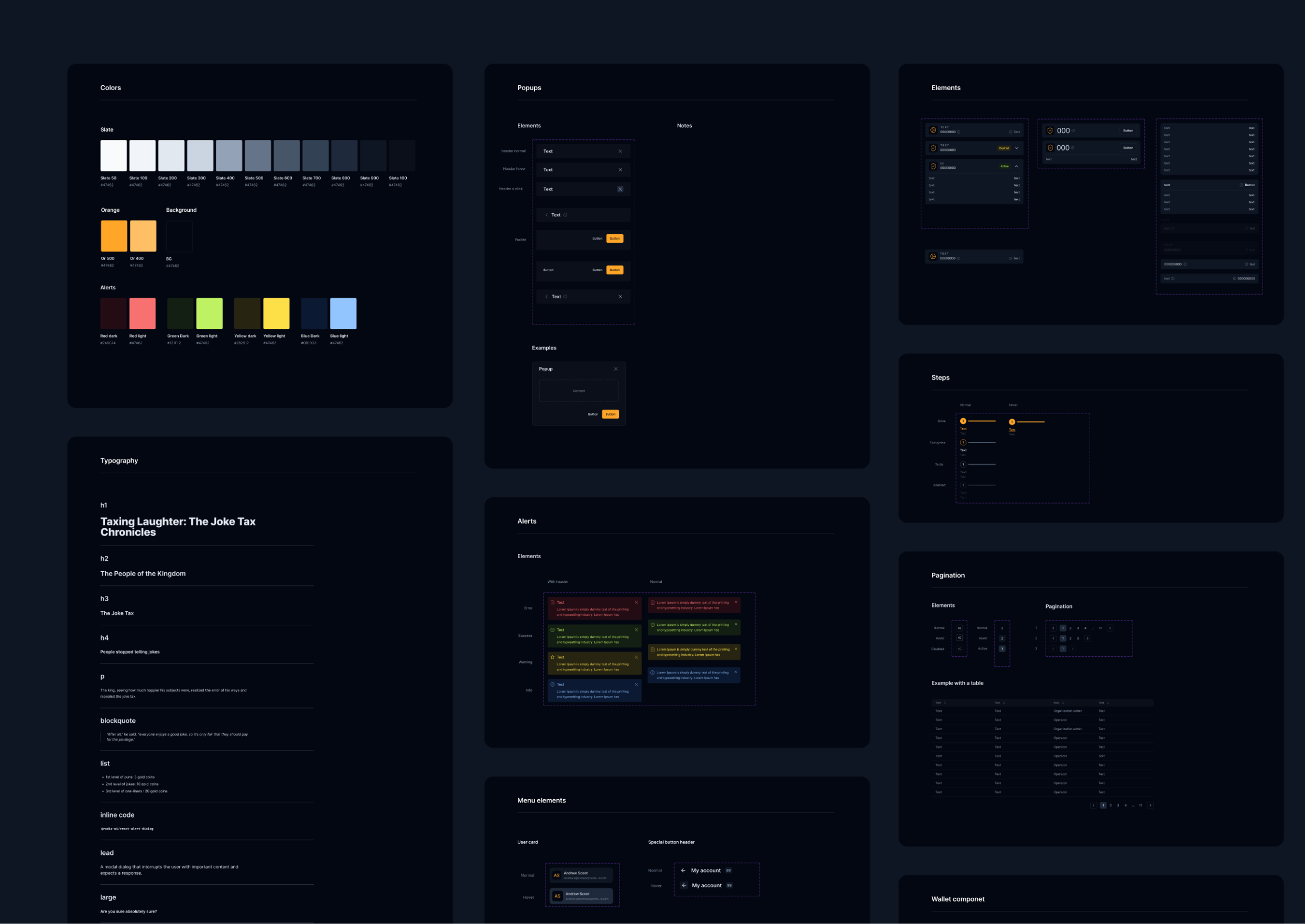
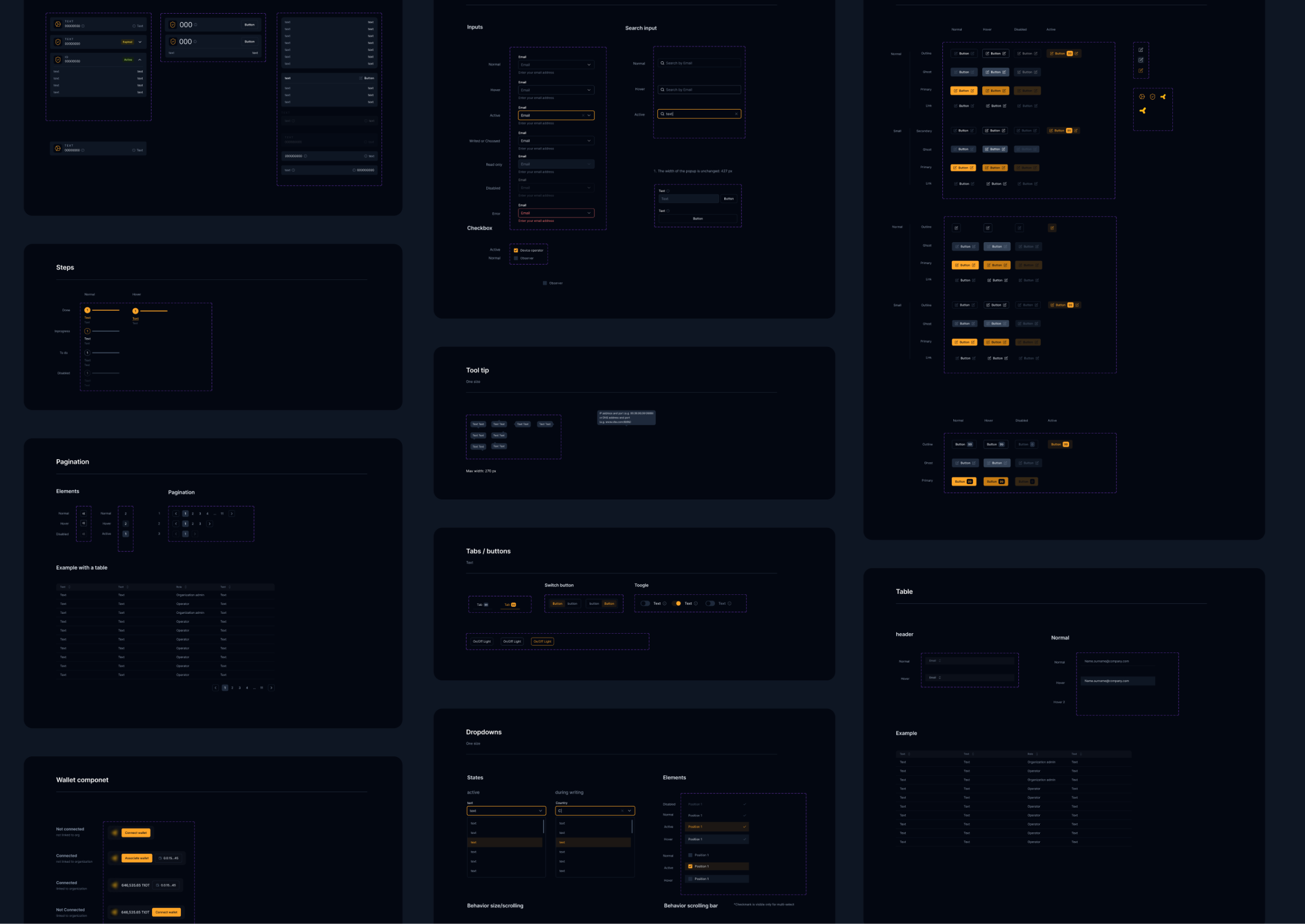
Design system was based on the shadcn/ui design system to simplify the process and speed up implementation. Based on it, I created an internal system, adjusting component parameters and designing additional components as needed.
4. Design process
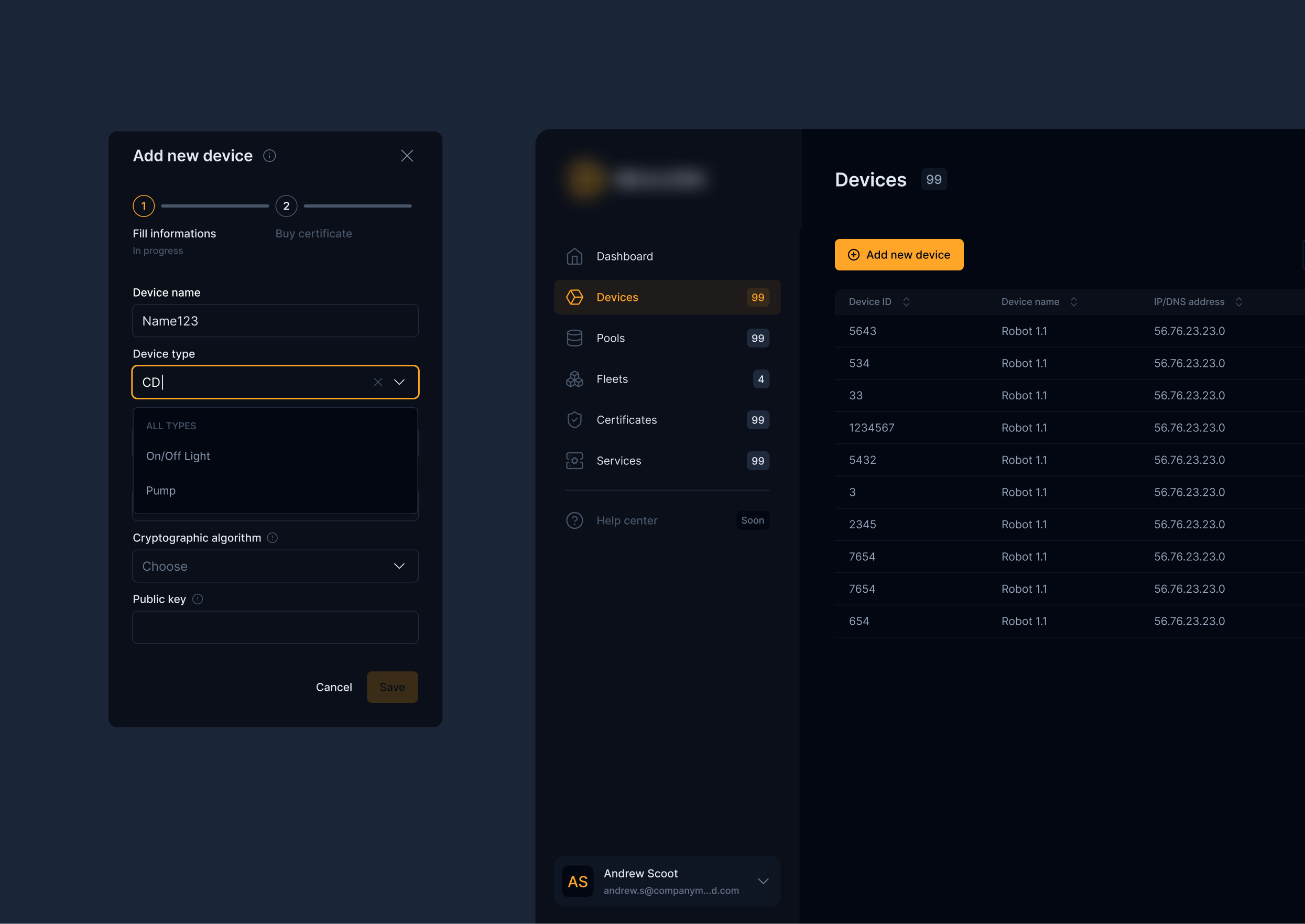
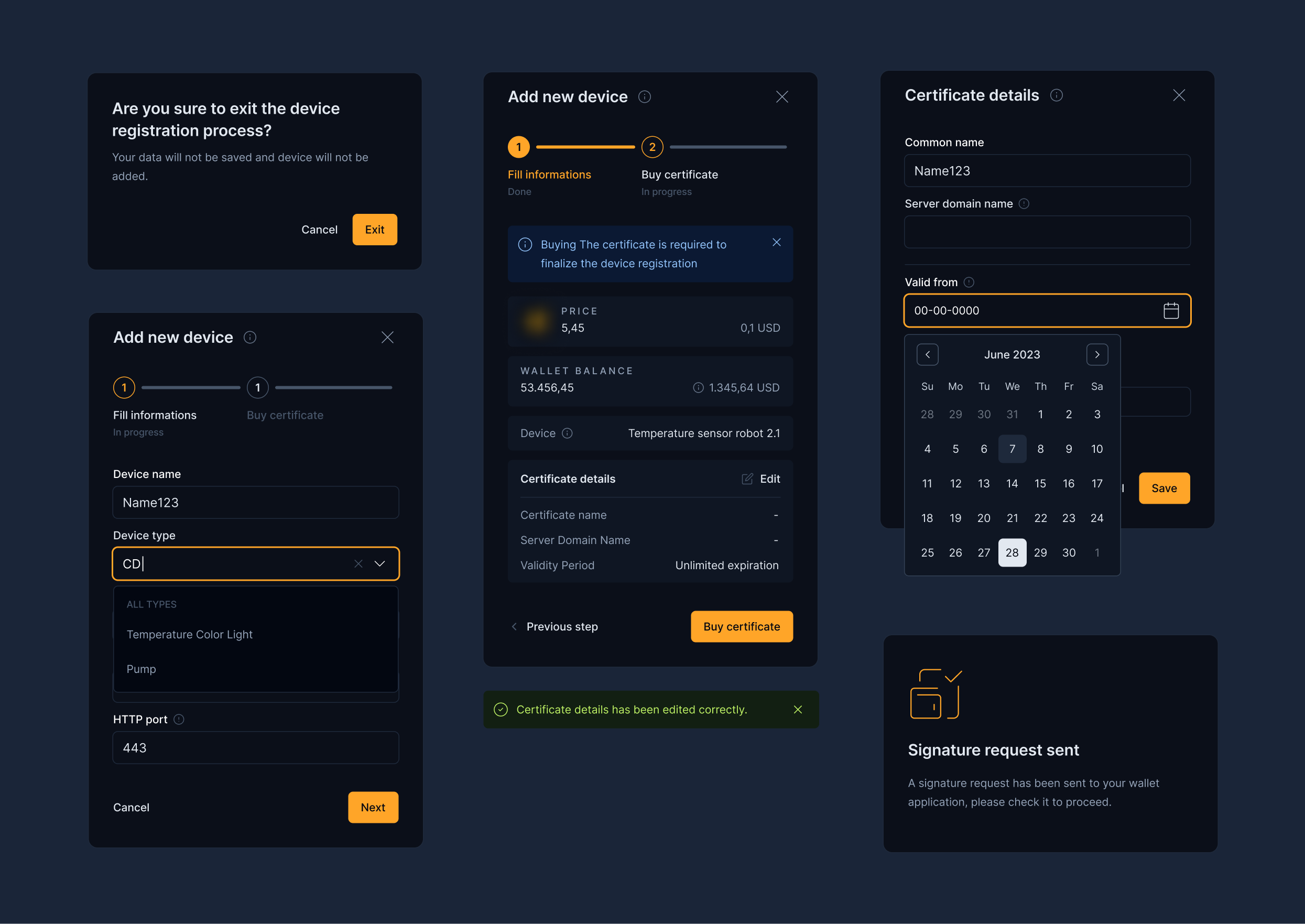
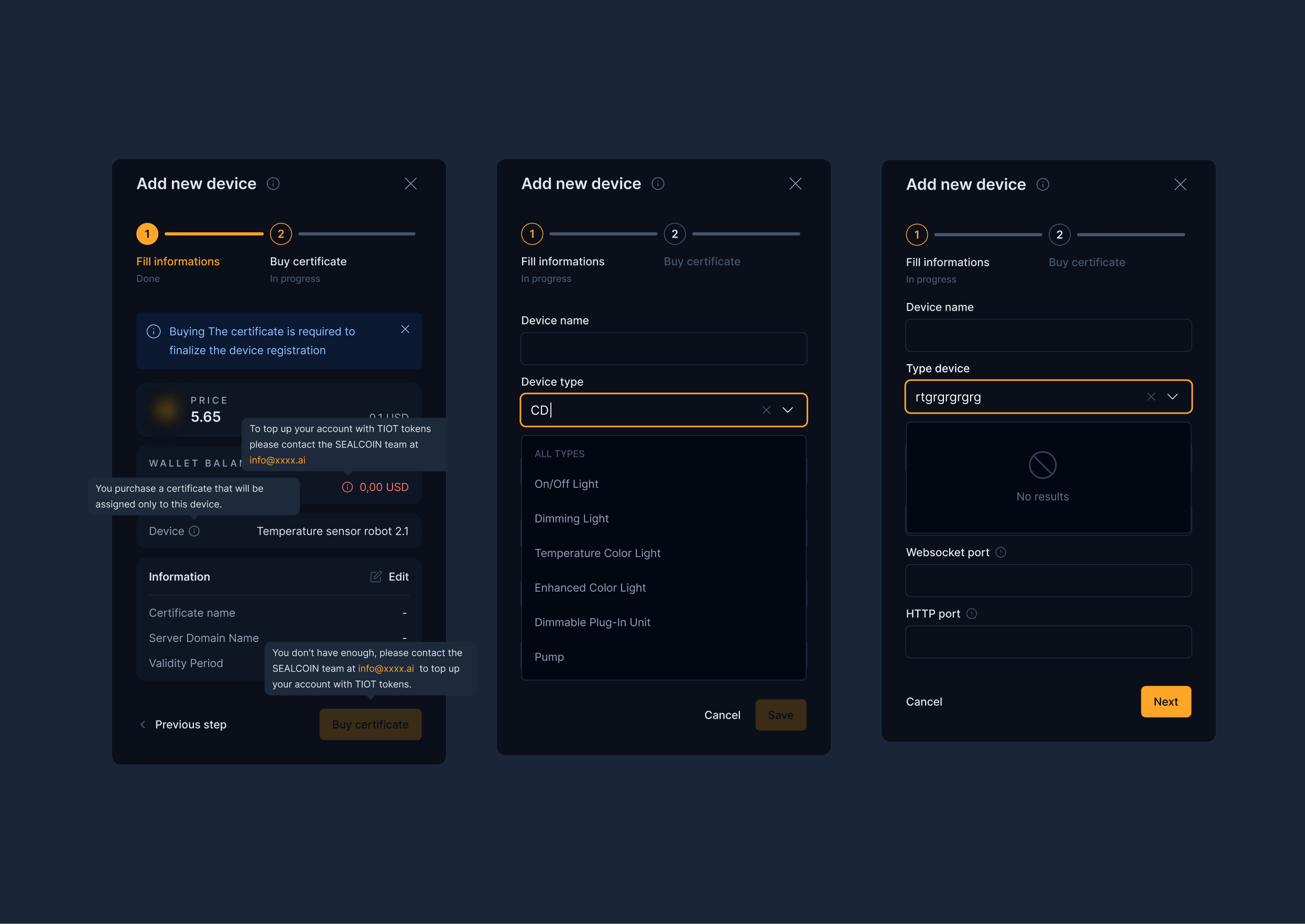
Combining certificate purchase with device creation
Combining both processes ensured consistency and avoided a situation where a device exists without a certificate.
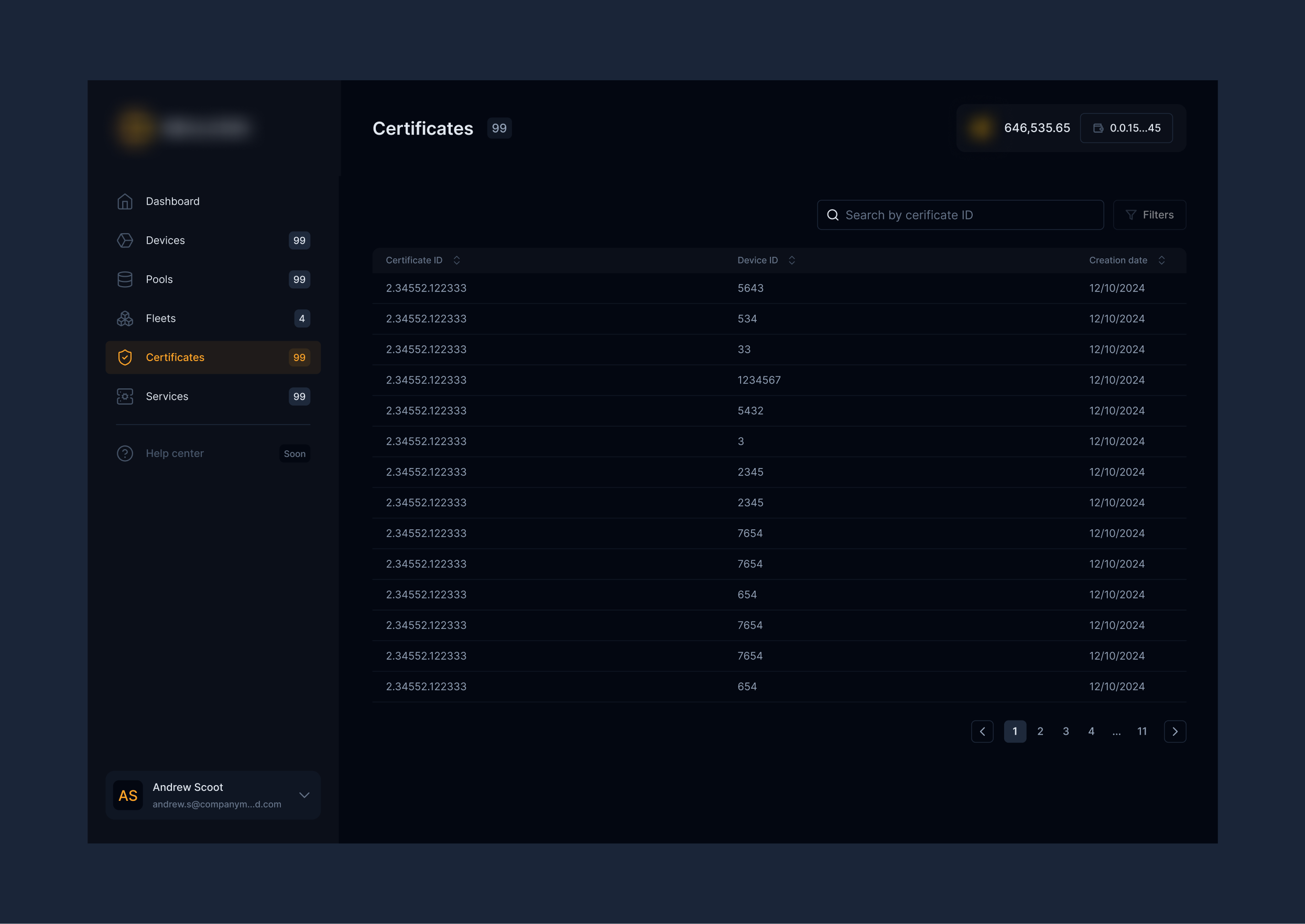
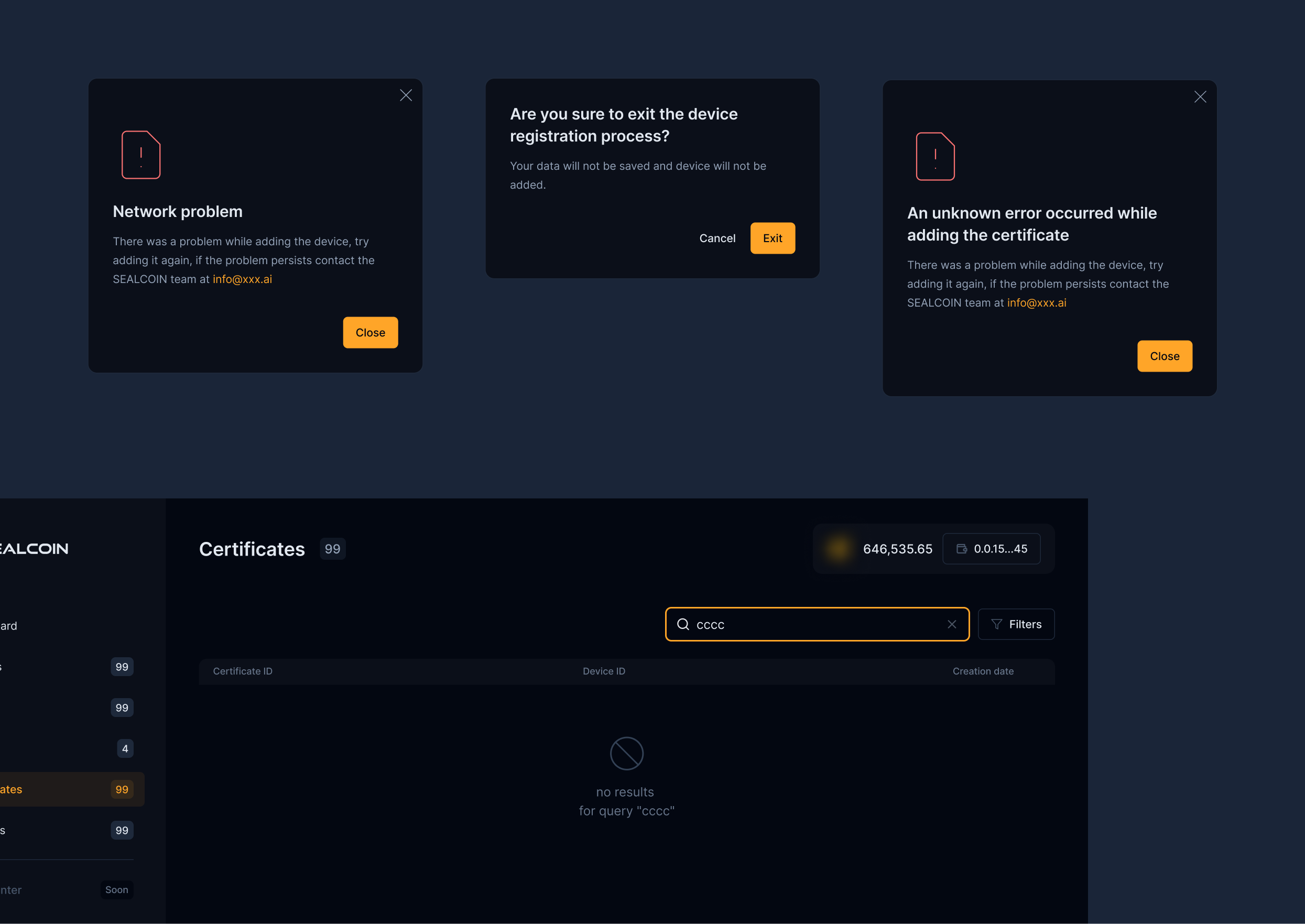
My certificates section
Creating a dedicated certificate management section with a list, details, and statuses: active, expired, and revoked.
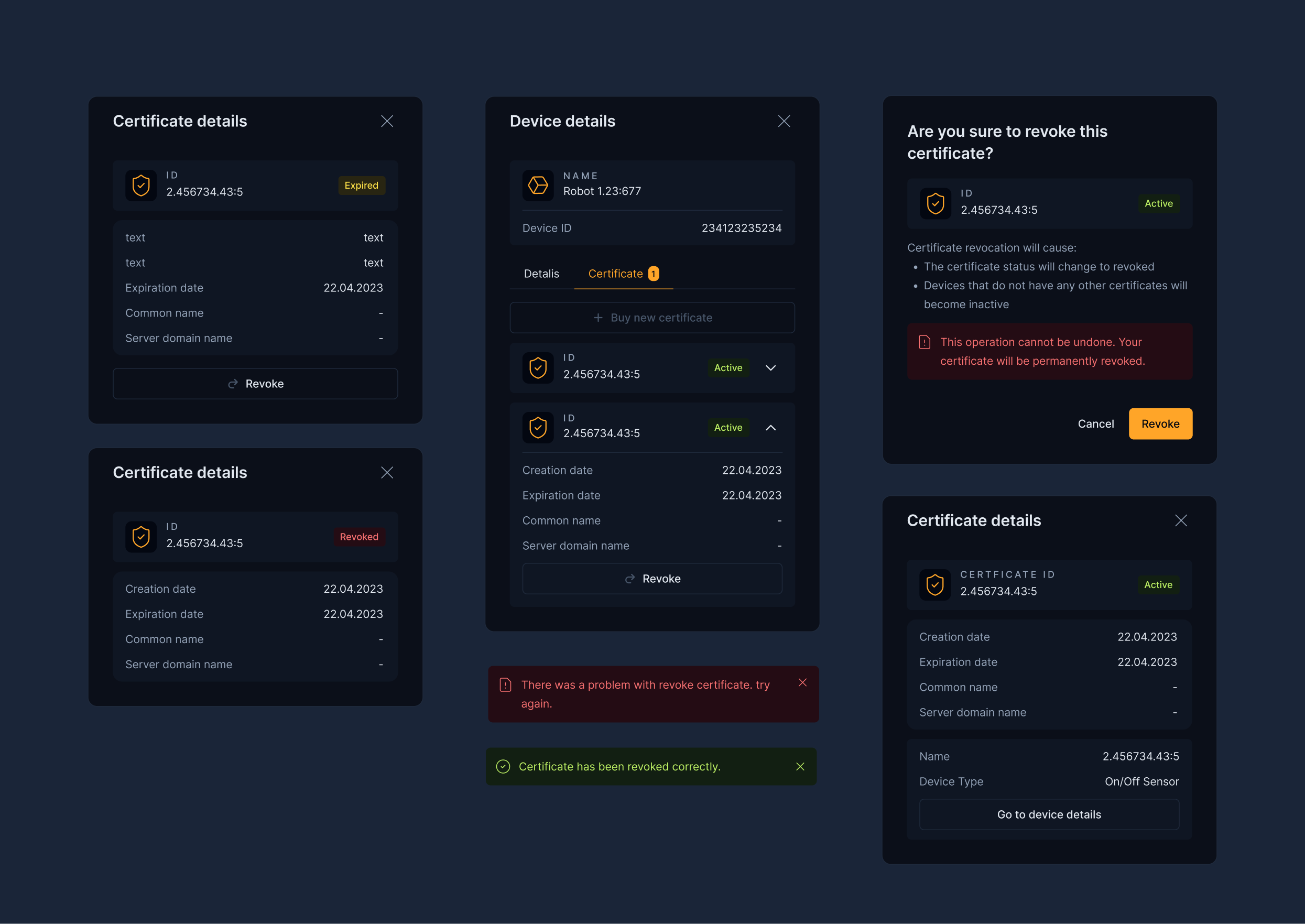
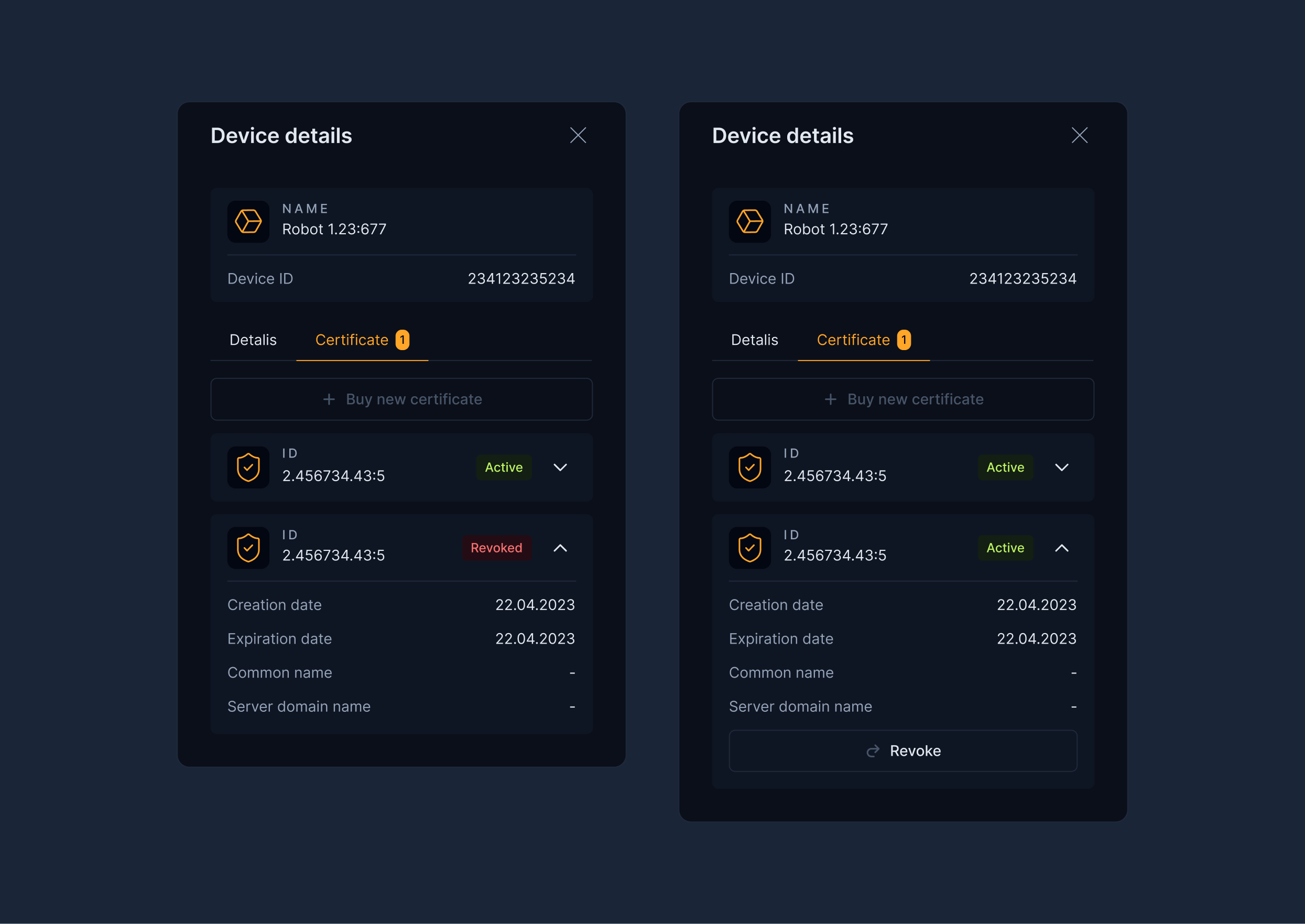
Device details - certificates
Introducing a device details view with a list of assigned certificates, enabling quick management and control.
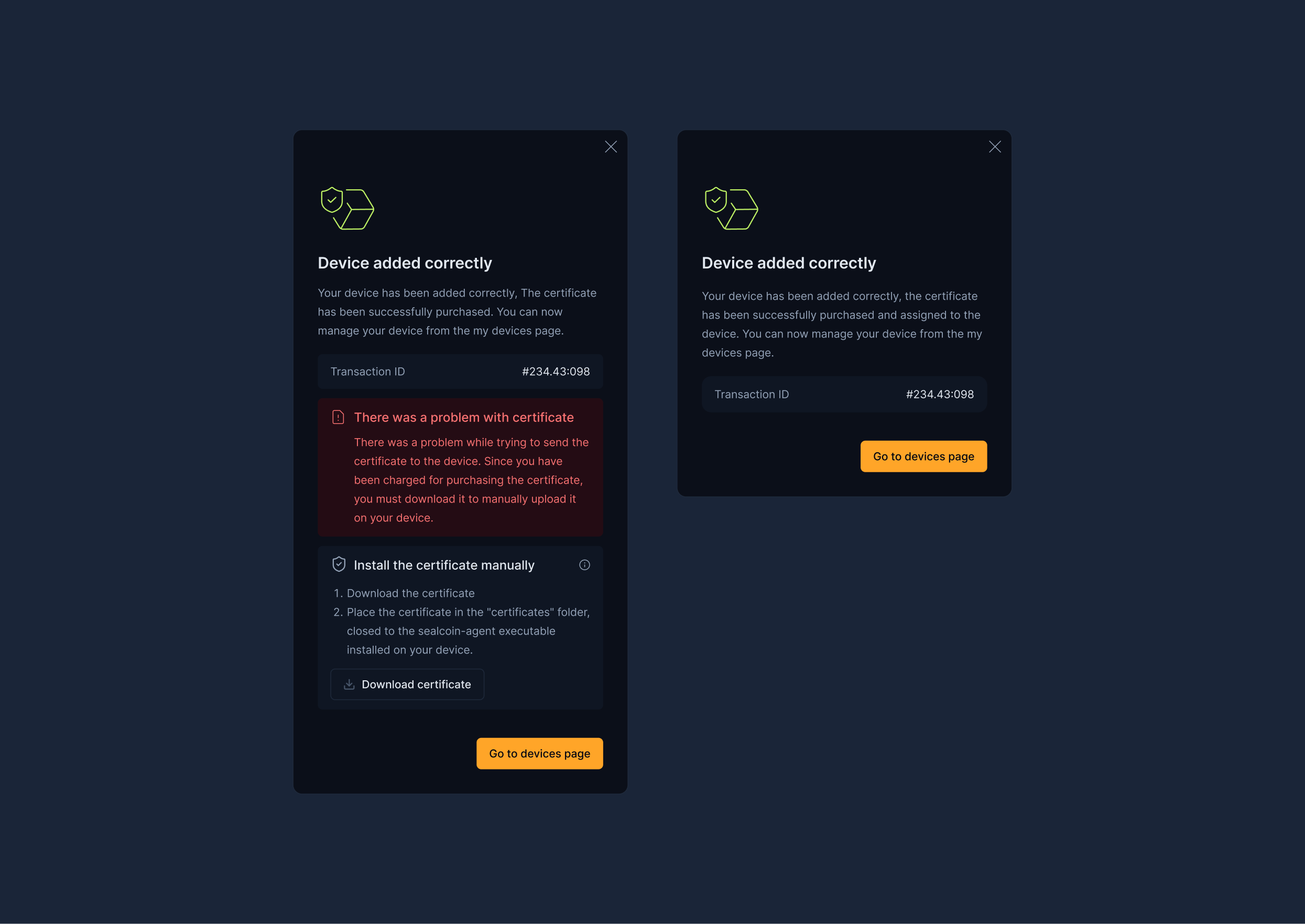
Instructions and micro UX
Designing clear instructions and guidance for the user around purchasing and installing a certificate.
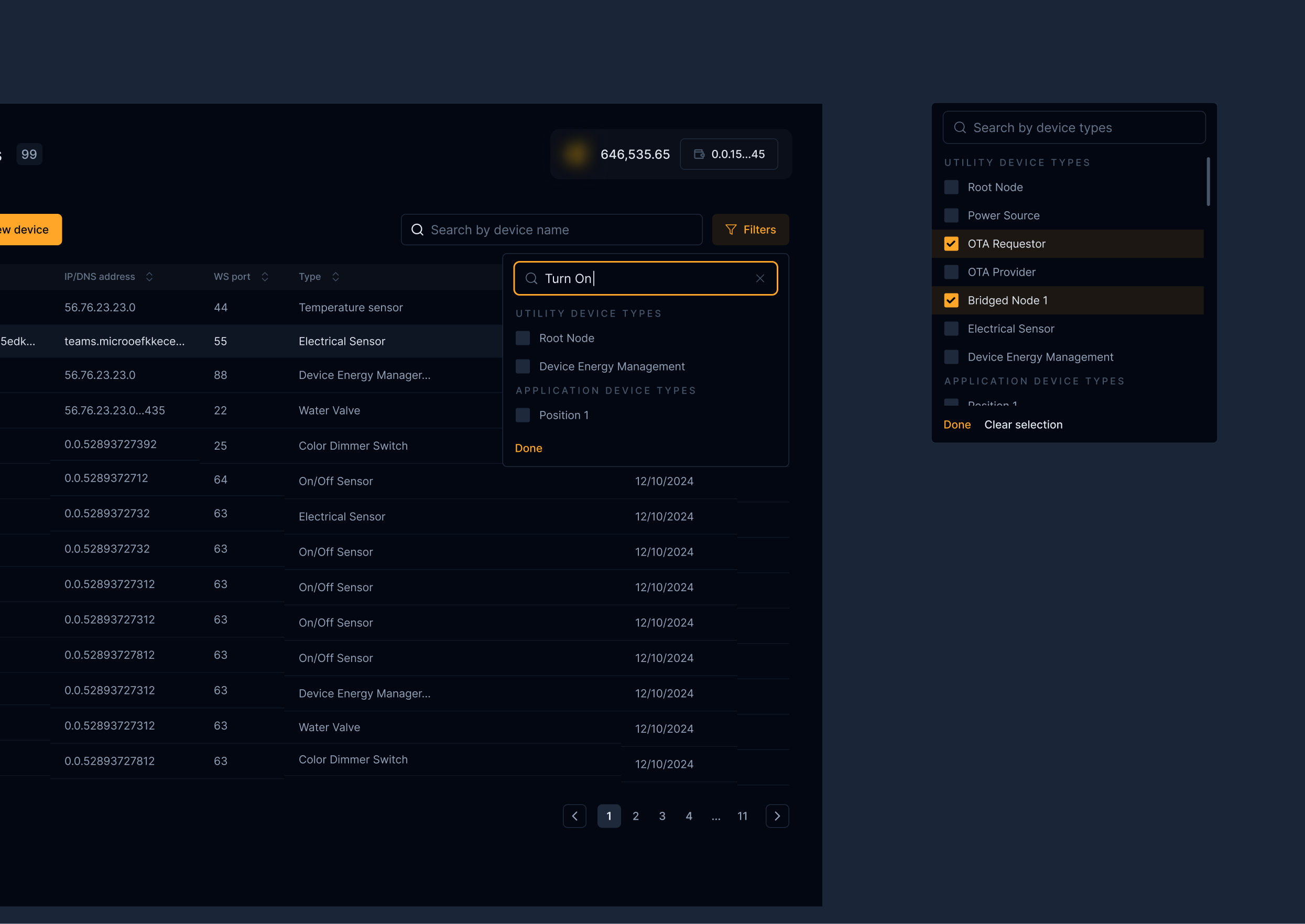
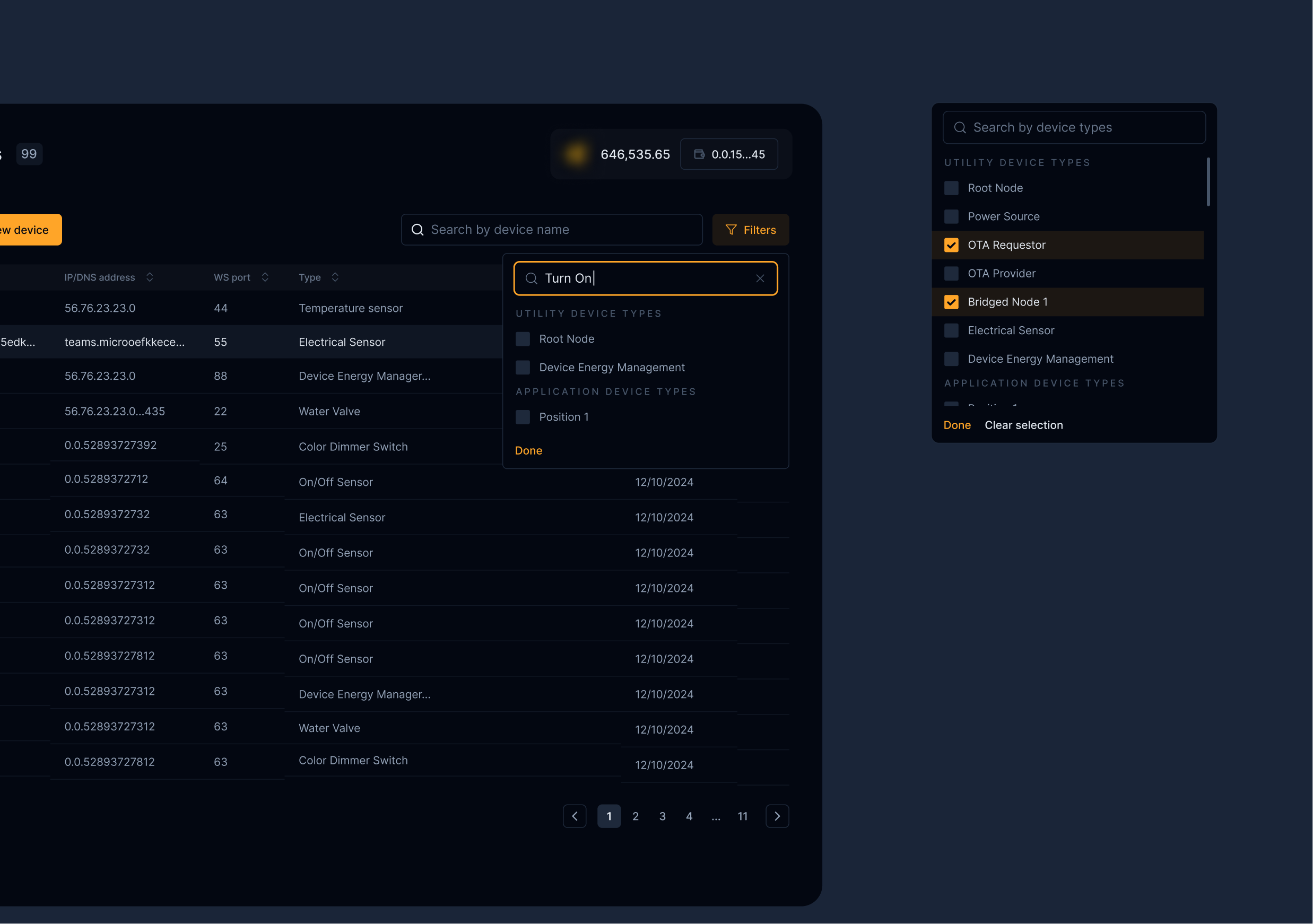
More views
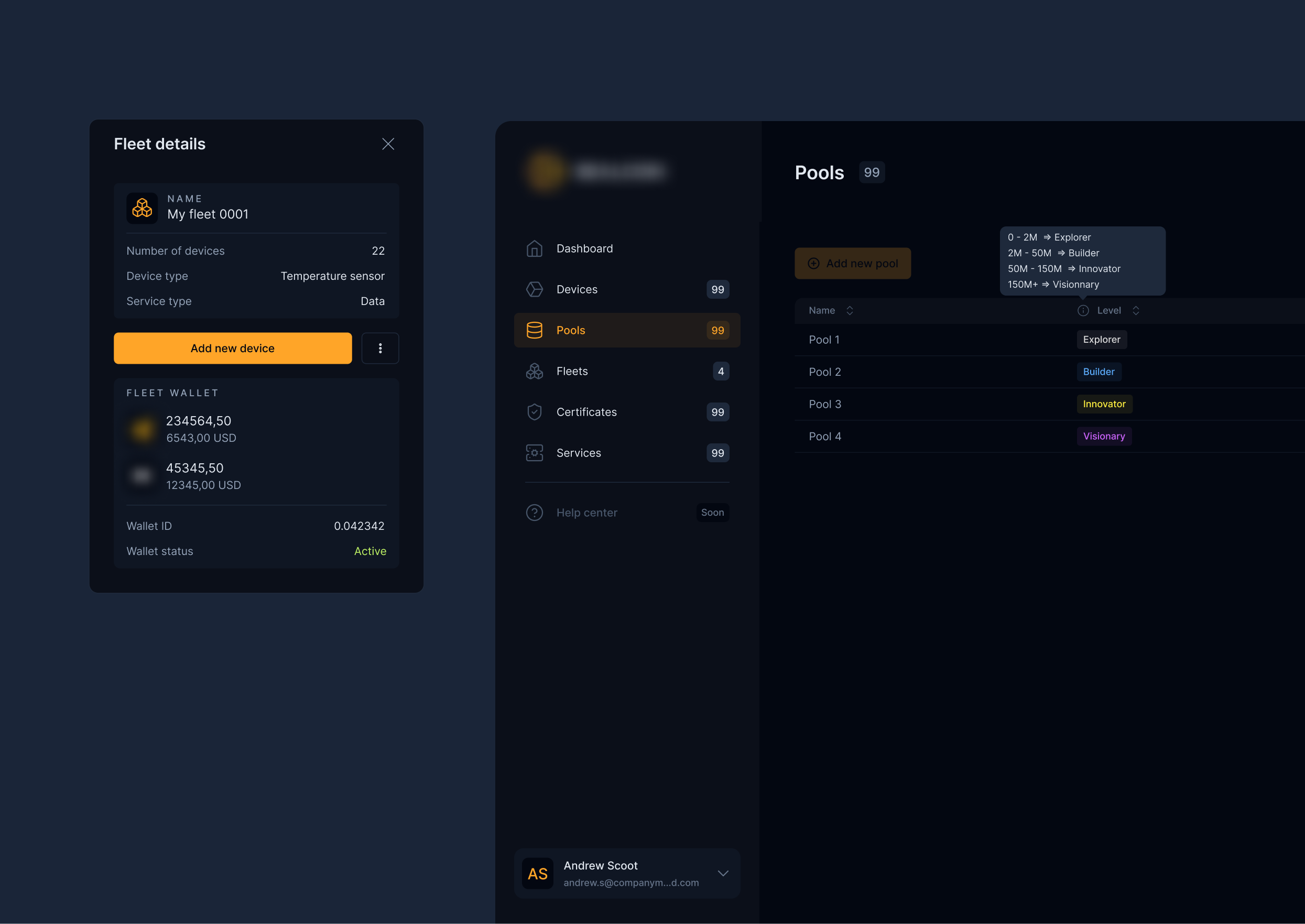
Fleets section
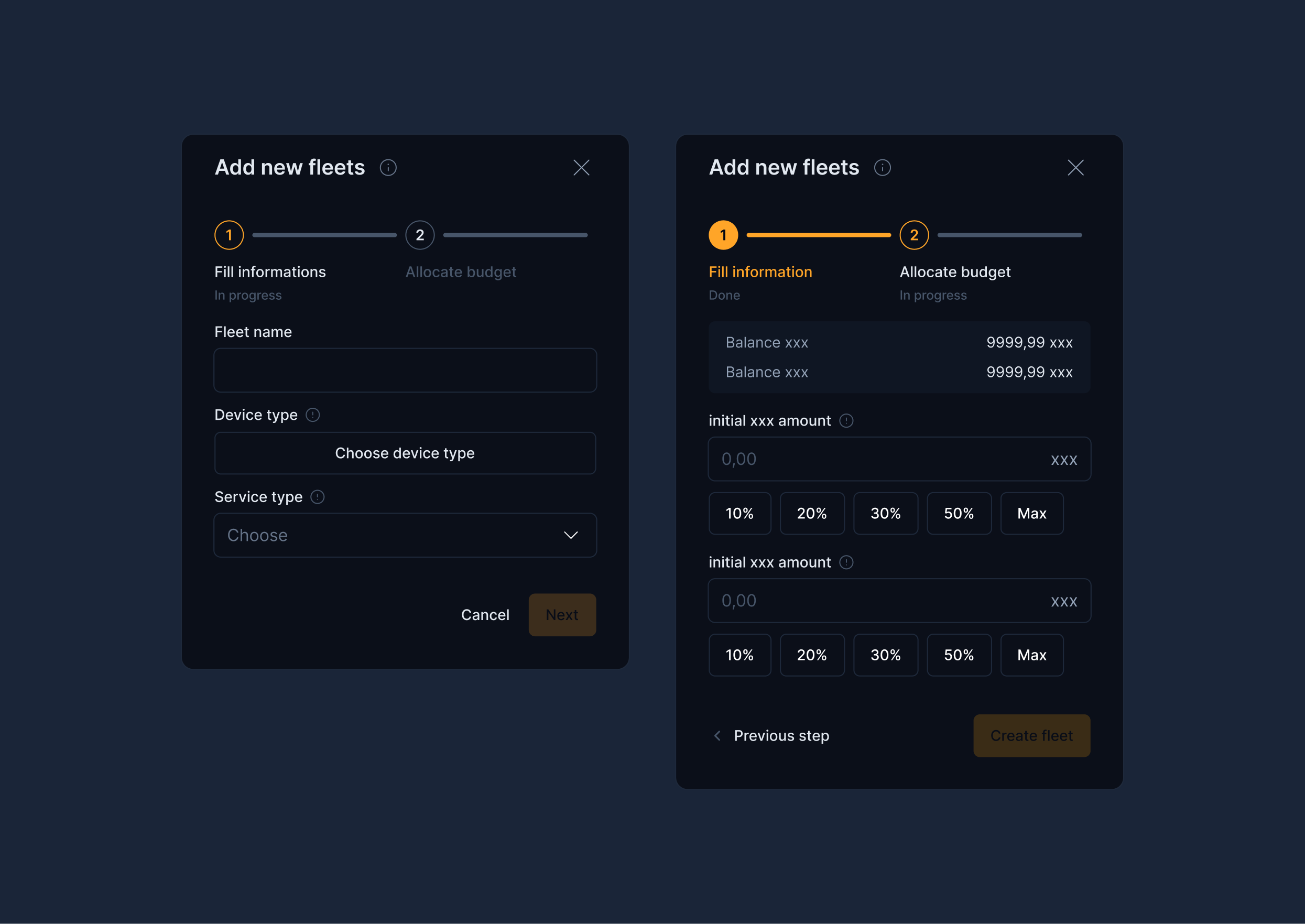
Add new fleets
Marketplace
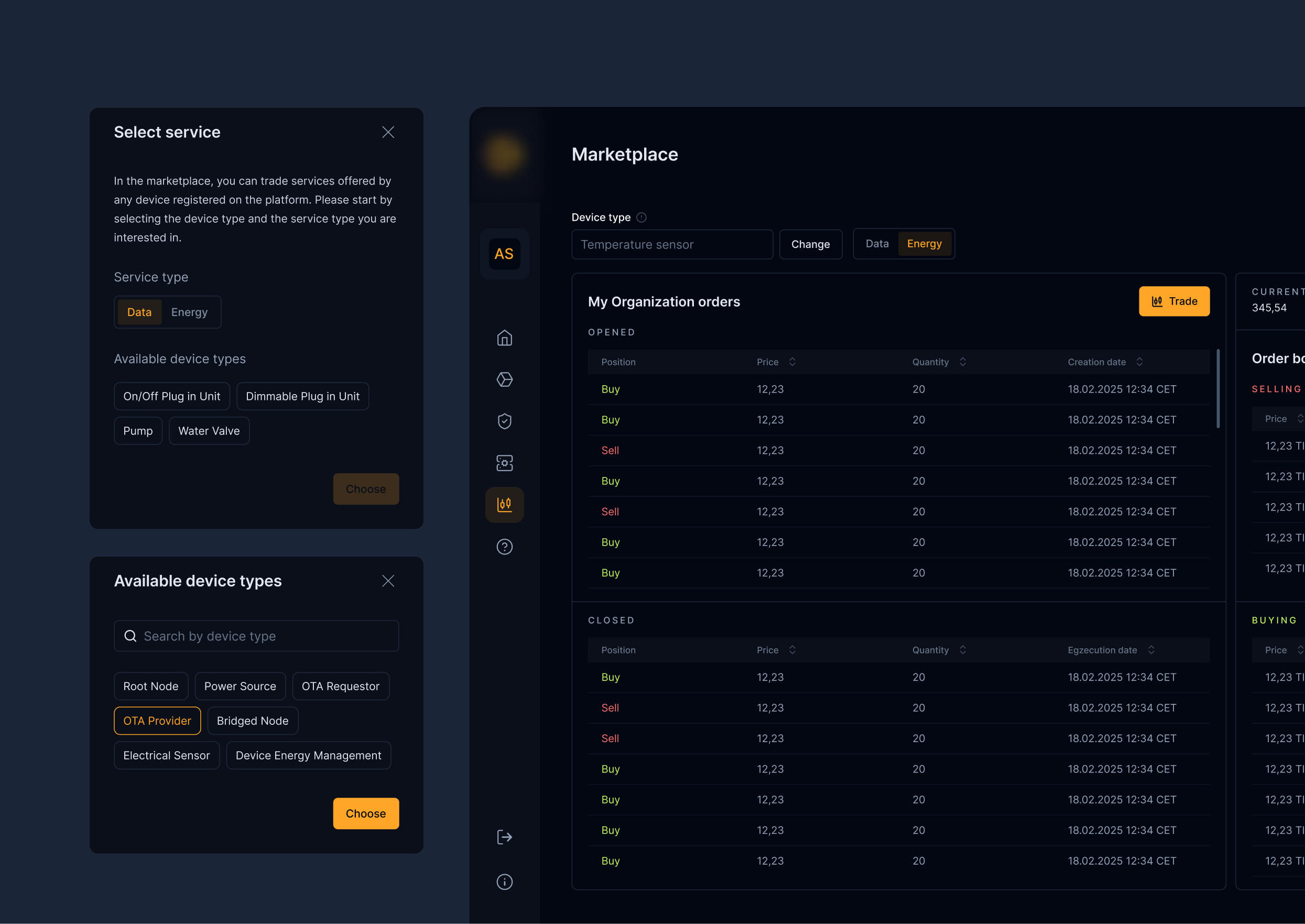
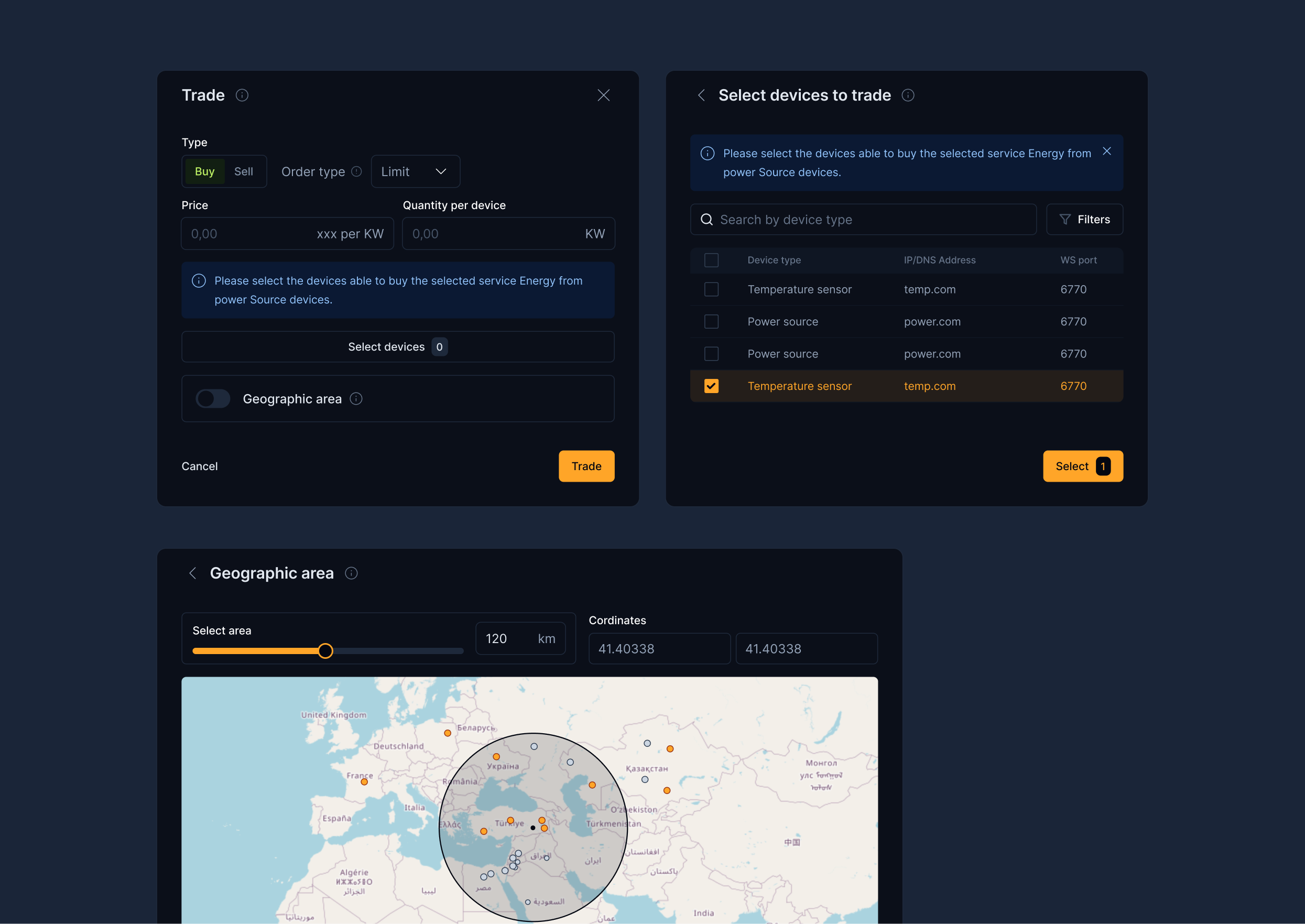
Trade
Figma file organization
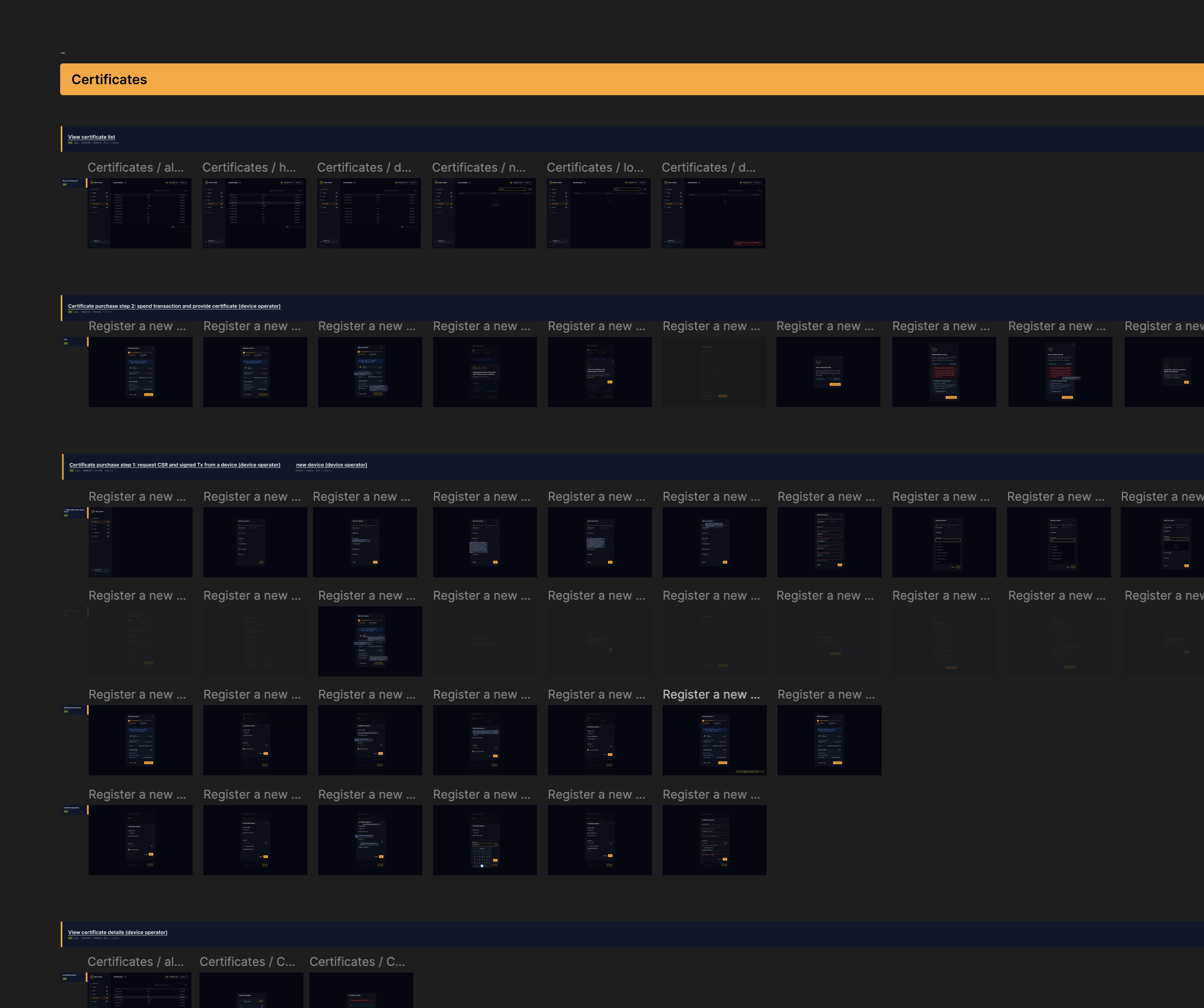
I organized the file in a clear and logical way. Sections are marked with Figma-level flags. Each task is connected to a Jira ticket with a direct link. Everything is clean, readable, and easy to navigate. Screens are arranged horizontally, following the user flow.