Order print configuration
- UX research
- Design system
- Mobile
- Jira
- Figma
Note: Due to a Non-Disclosure Agreement, the project's name and specific branding details have been anonymized.
1. Project challenges
Key problems to solve
- The need to generate an order printout in PDF format.
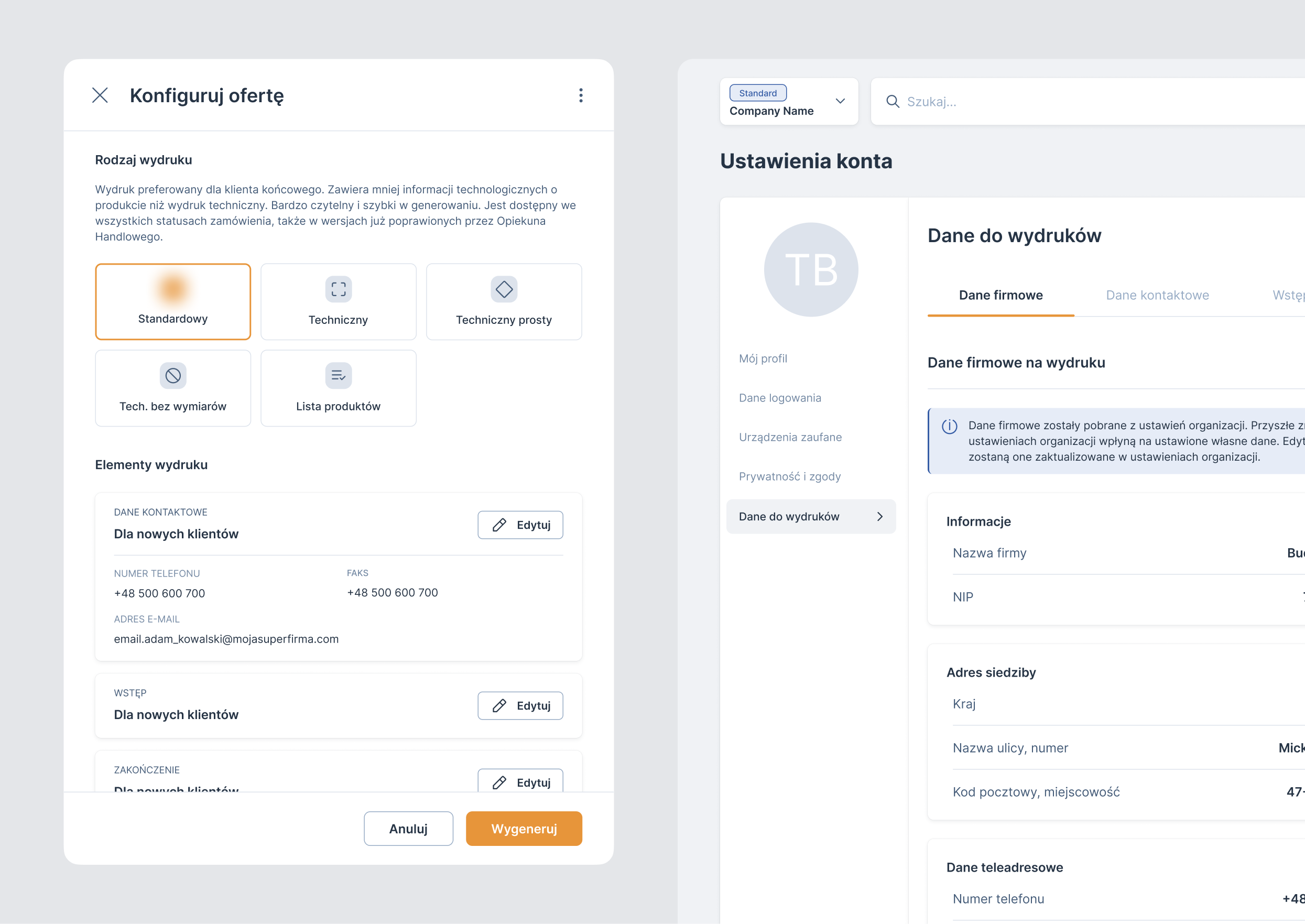
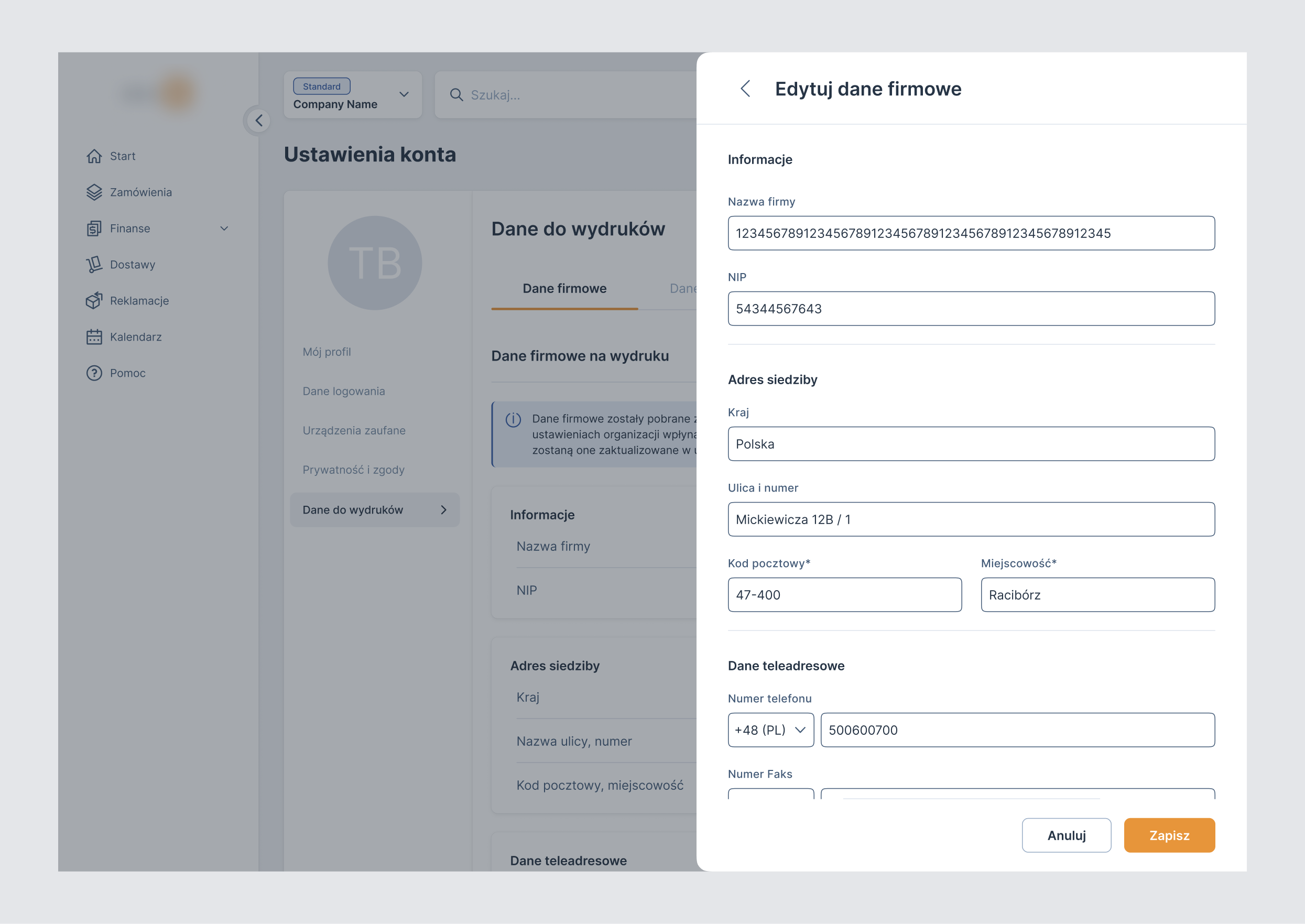
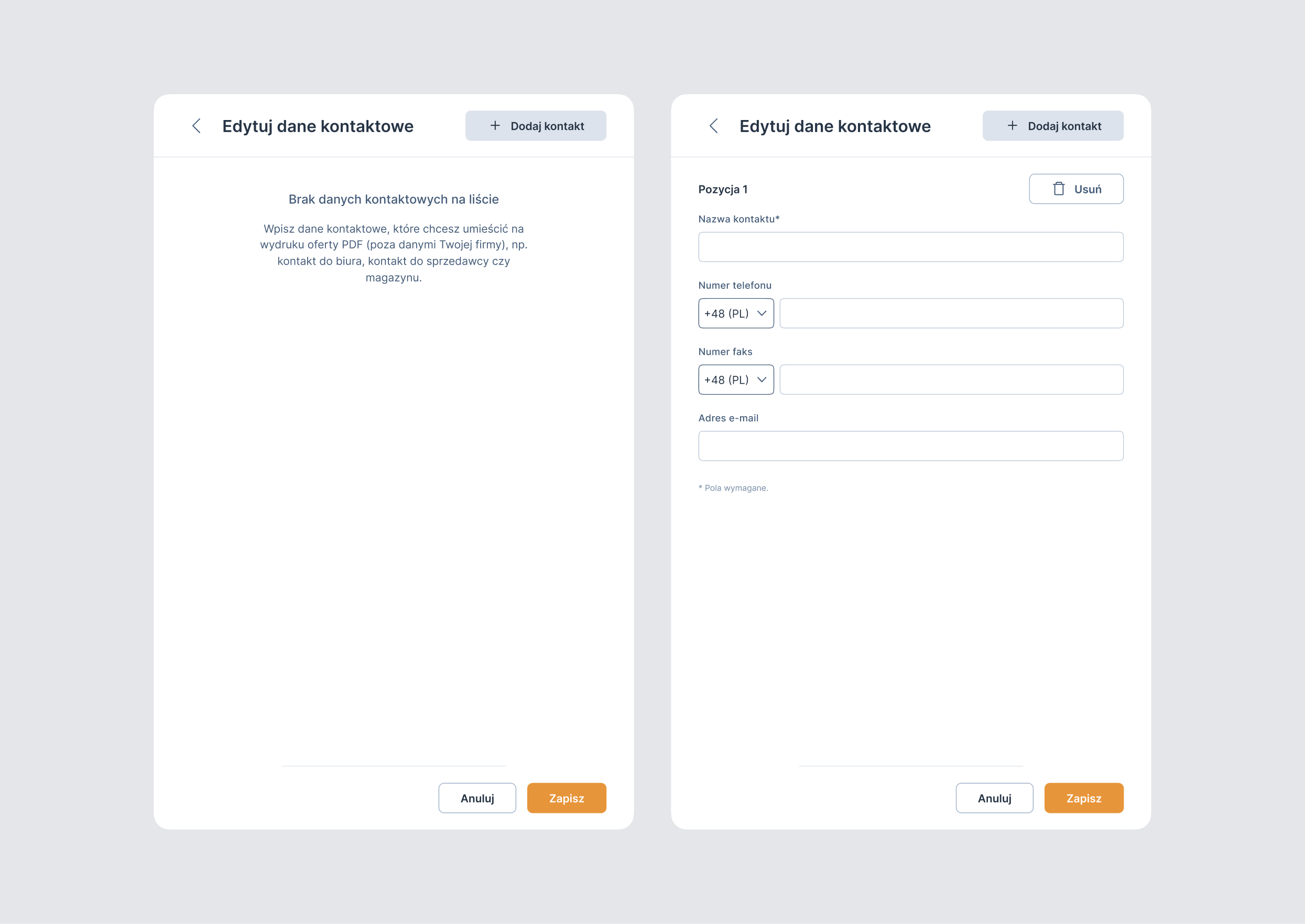
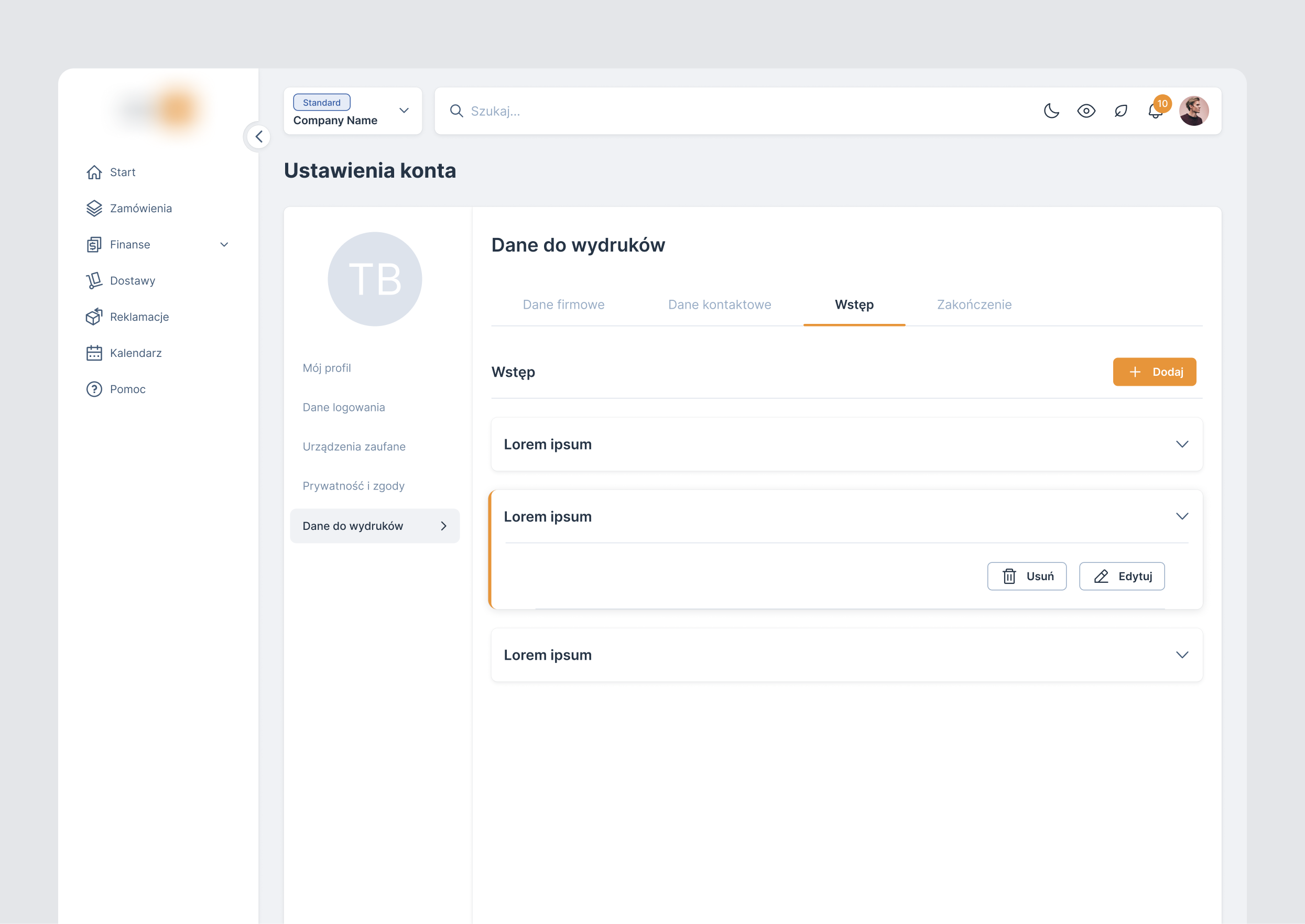
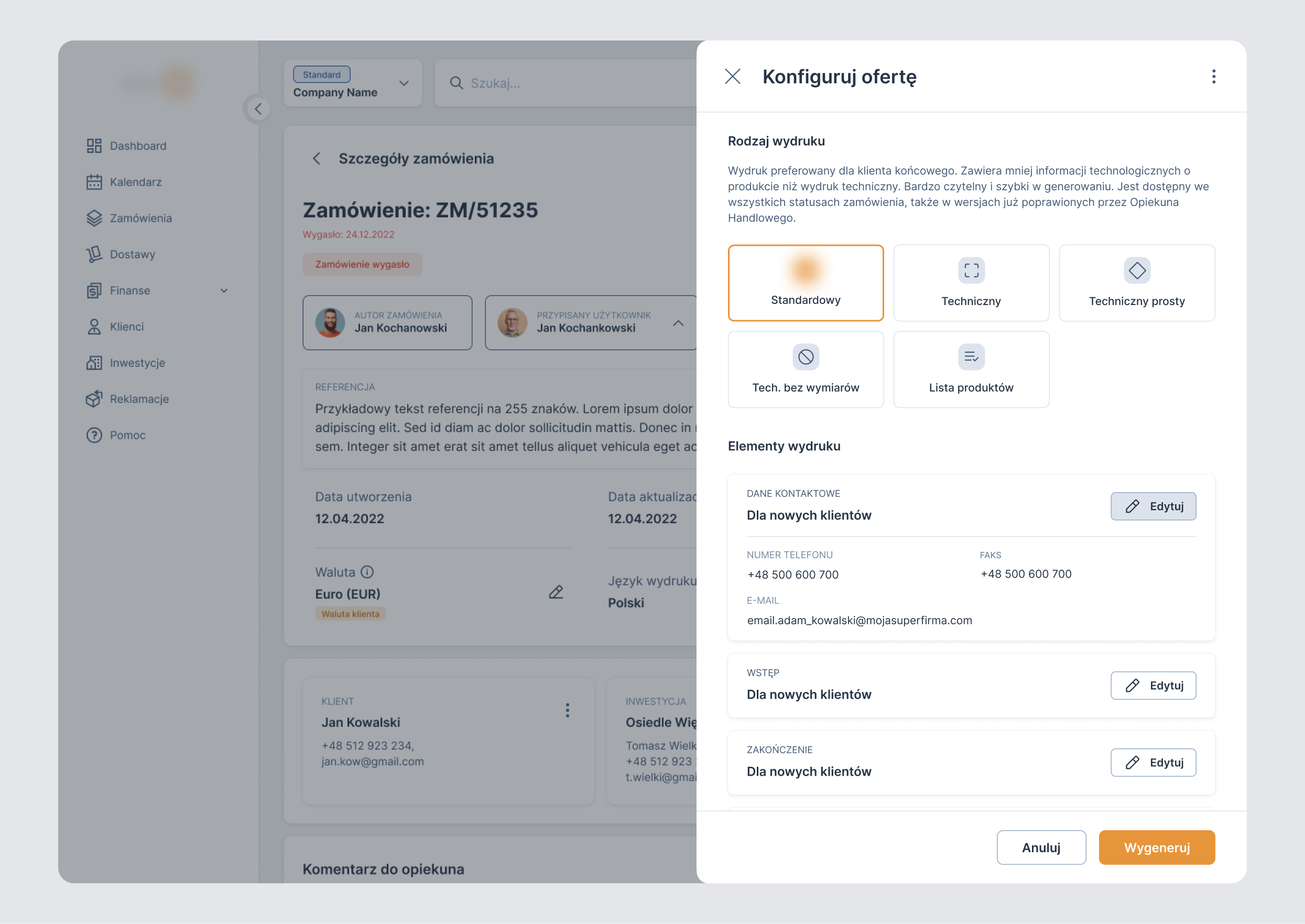
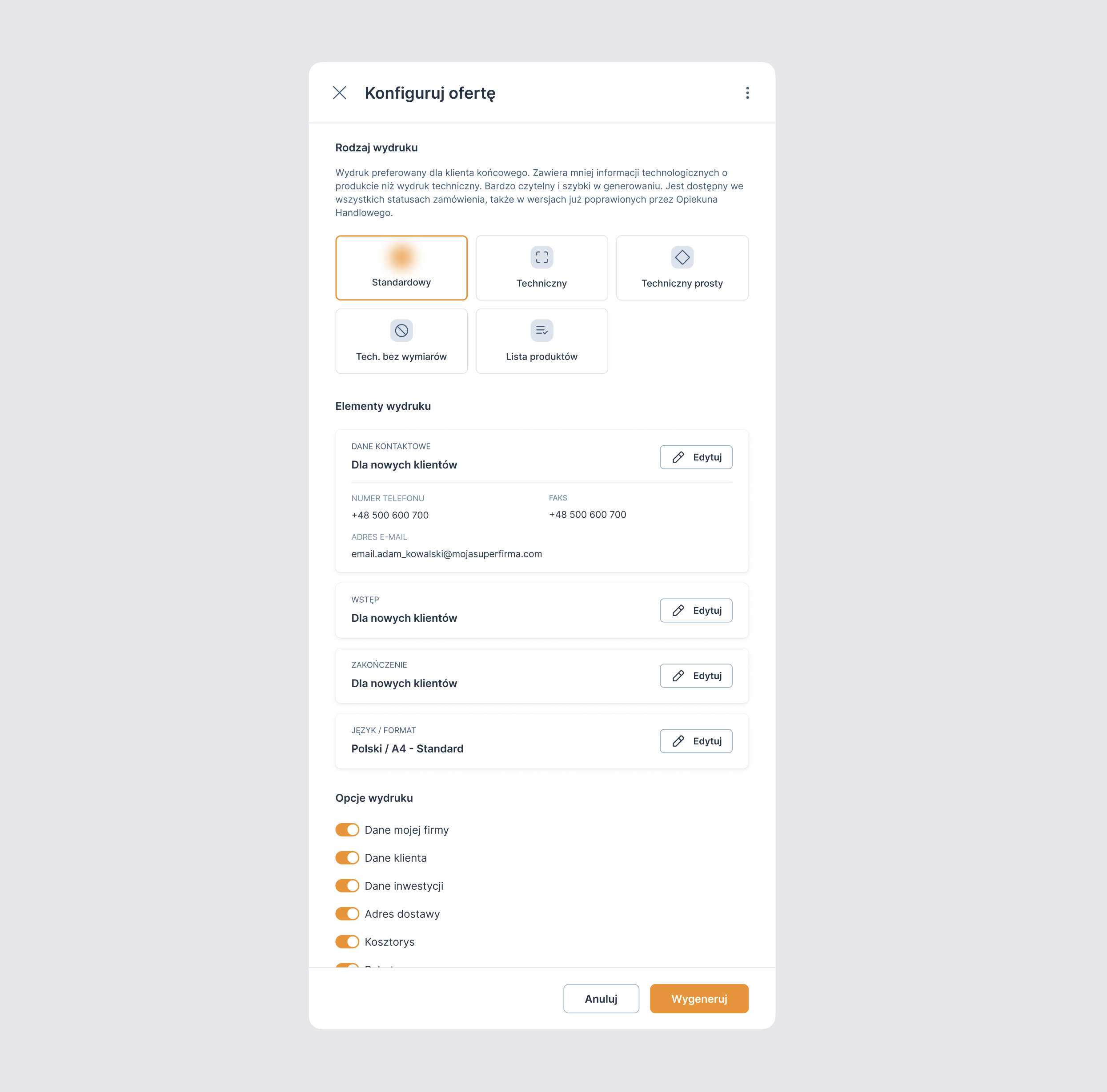
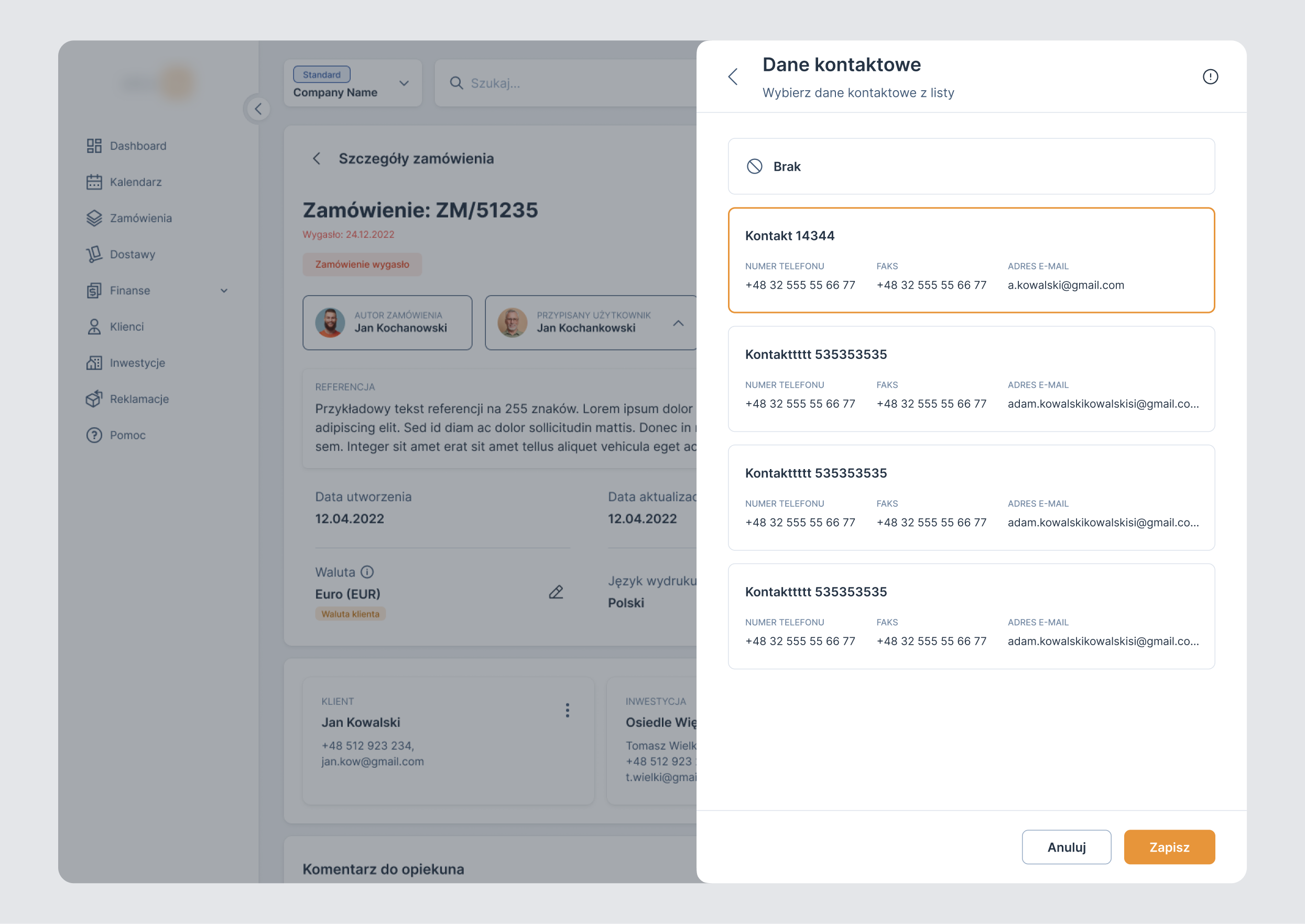
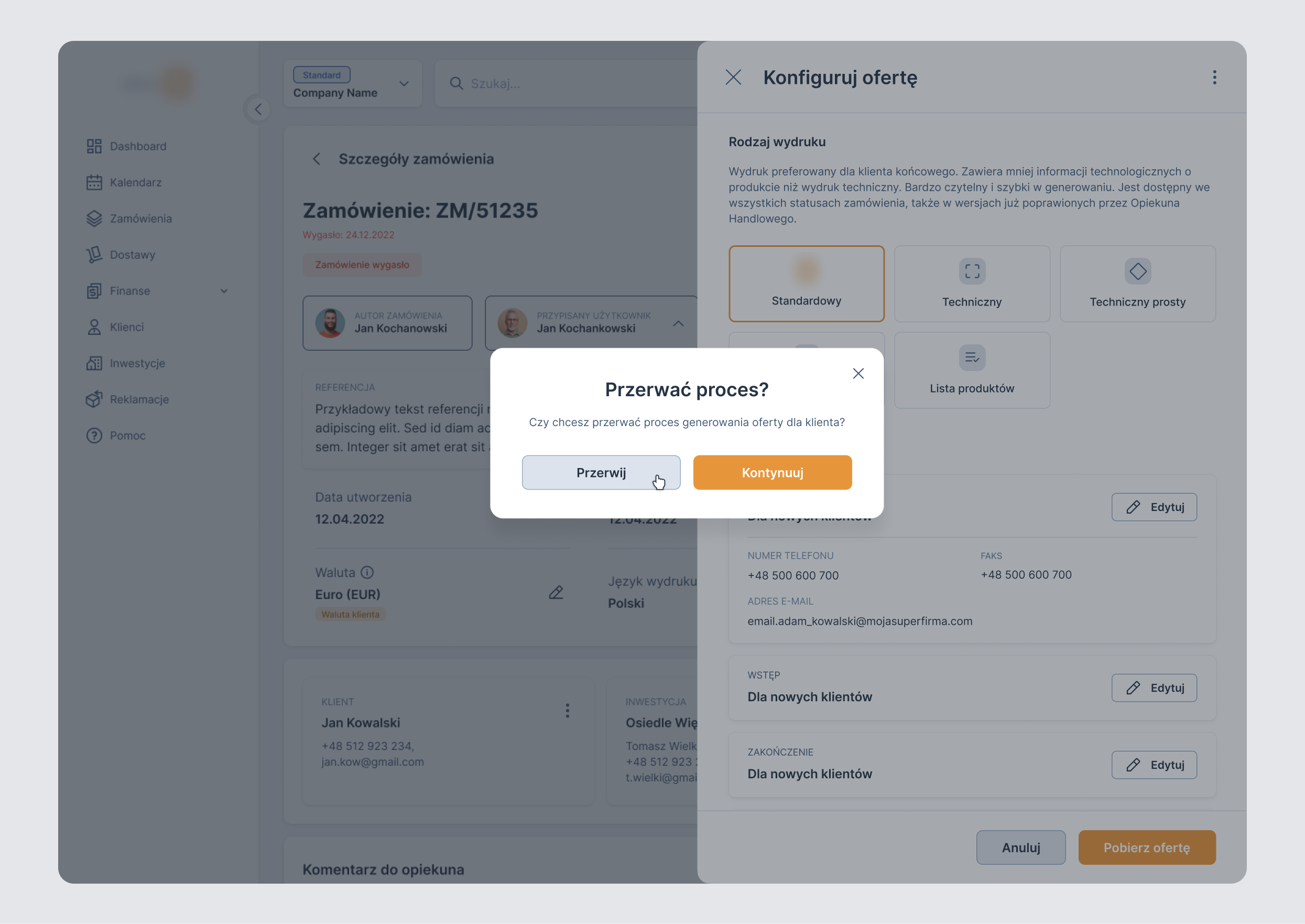
- The ability to configure printout content, including company details, contact details, intro, and closing.
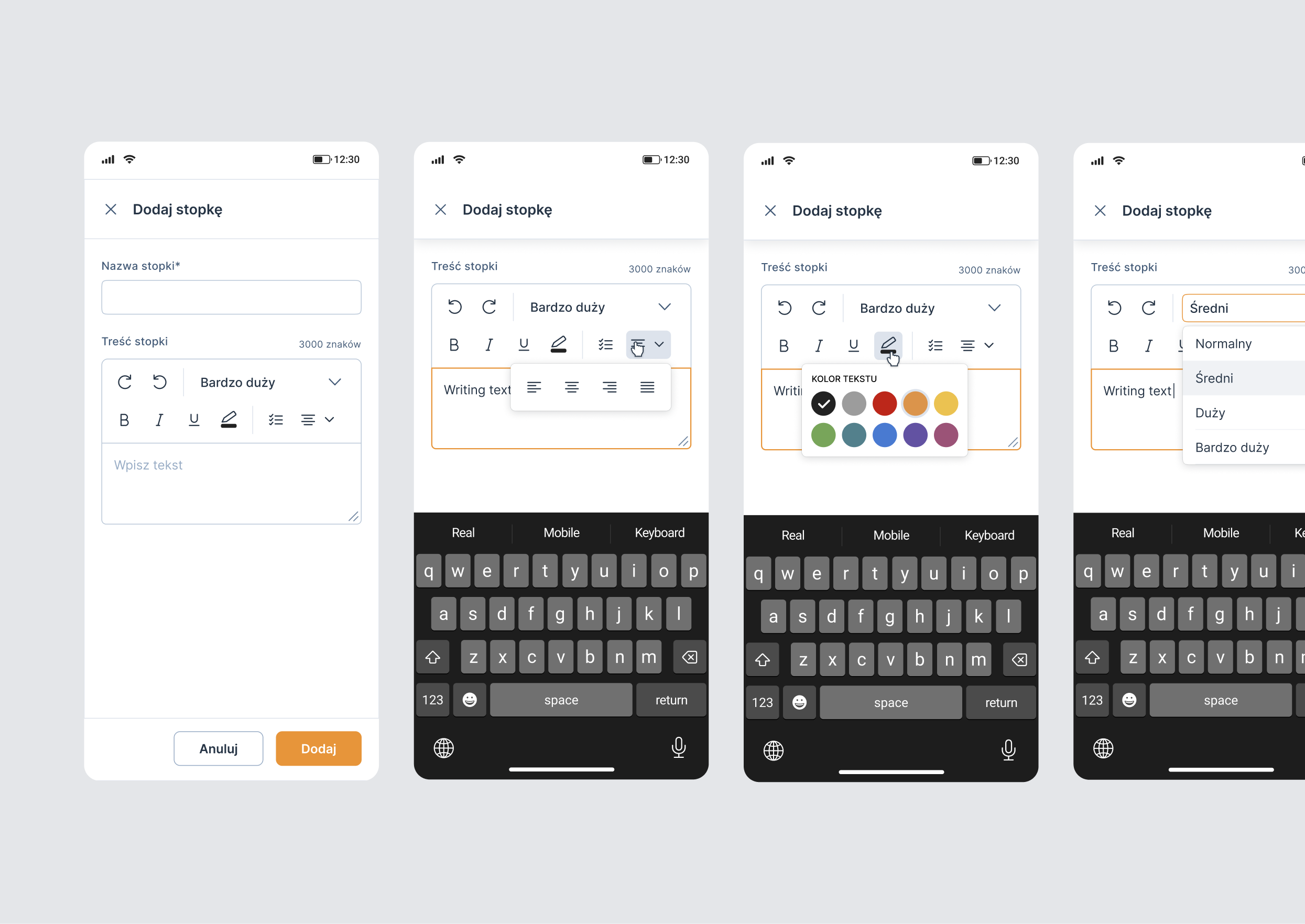
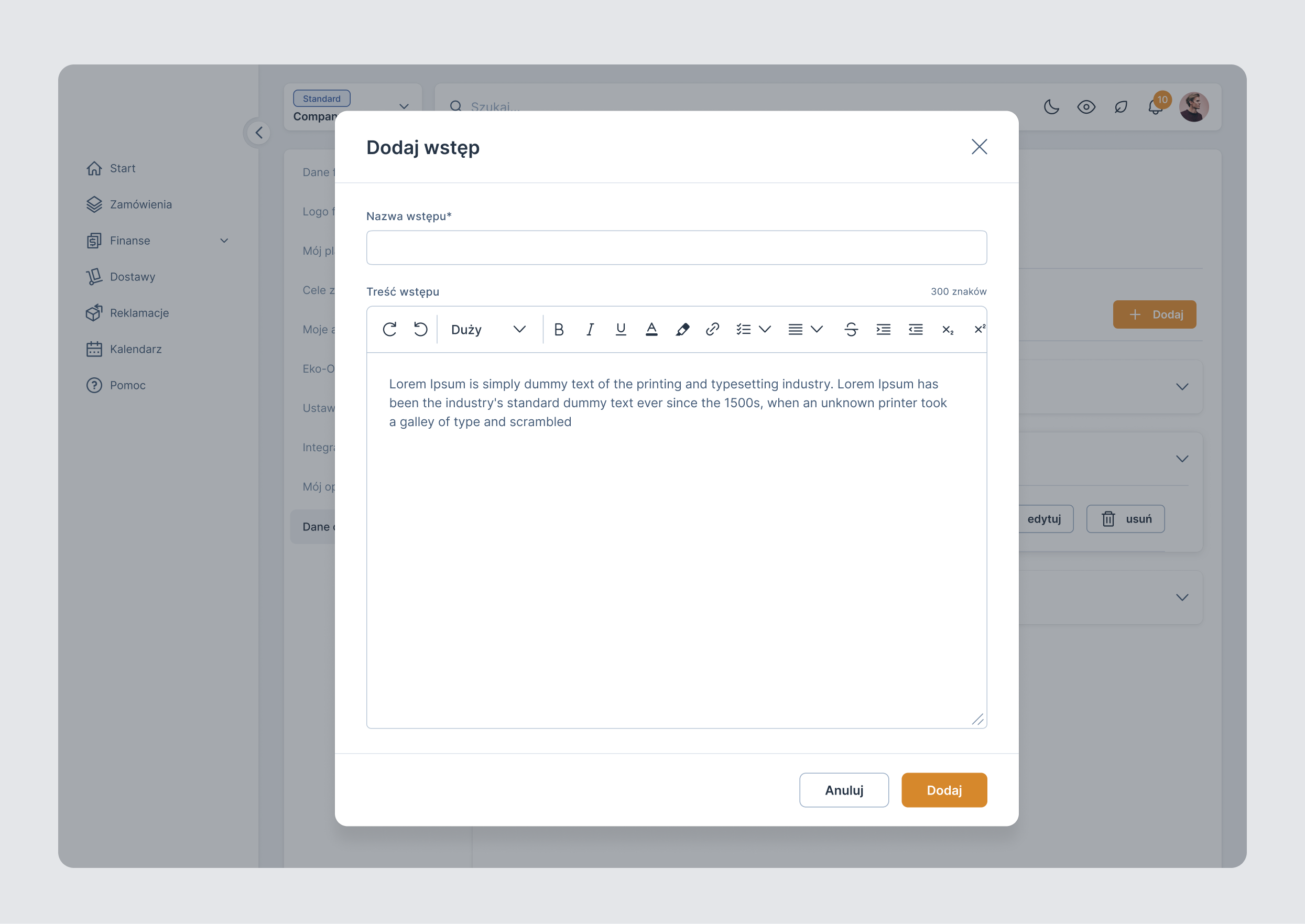
- Providing a text editor for managing print content.
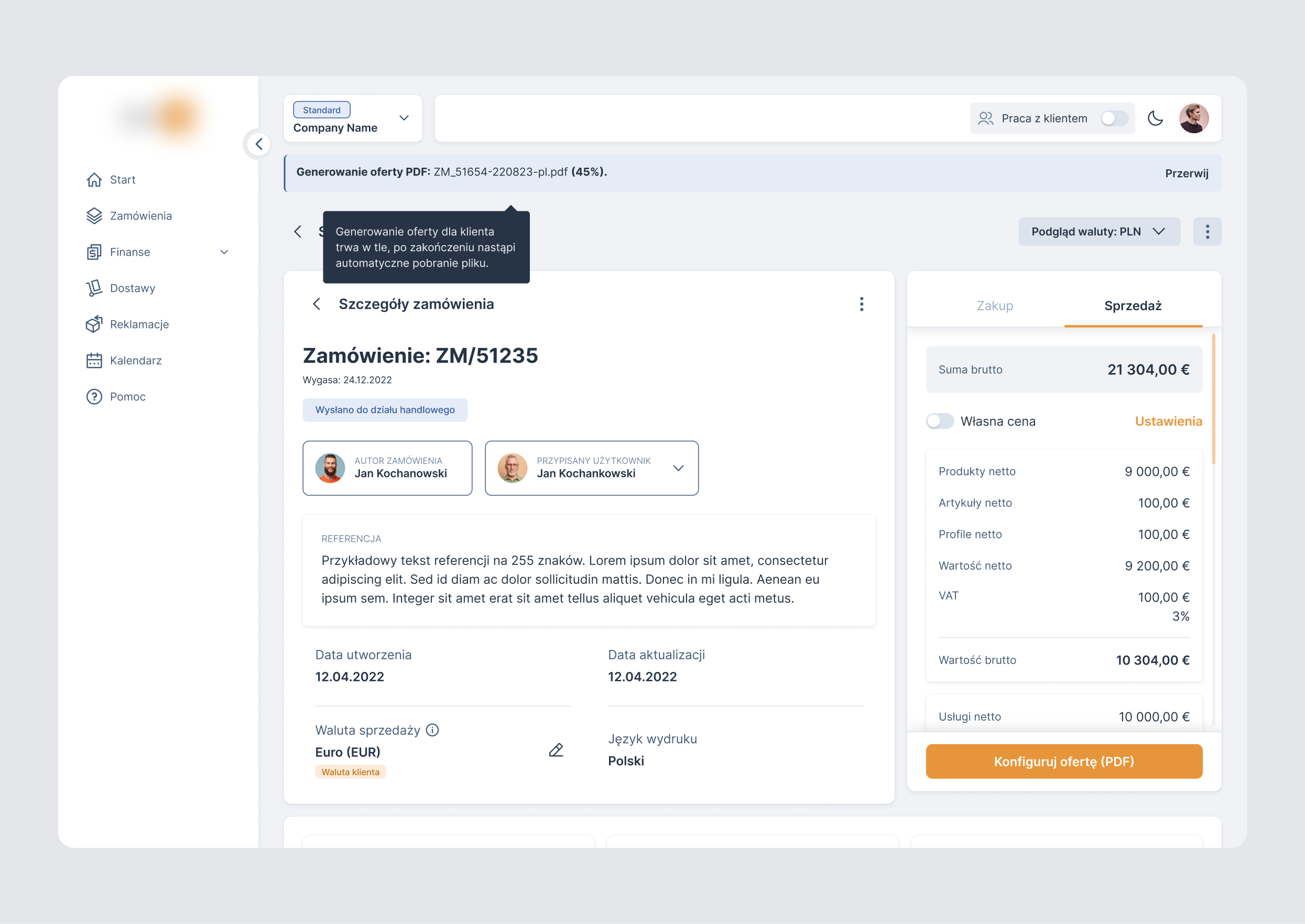
- A long document generation time requiring a visible progress indicator.
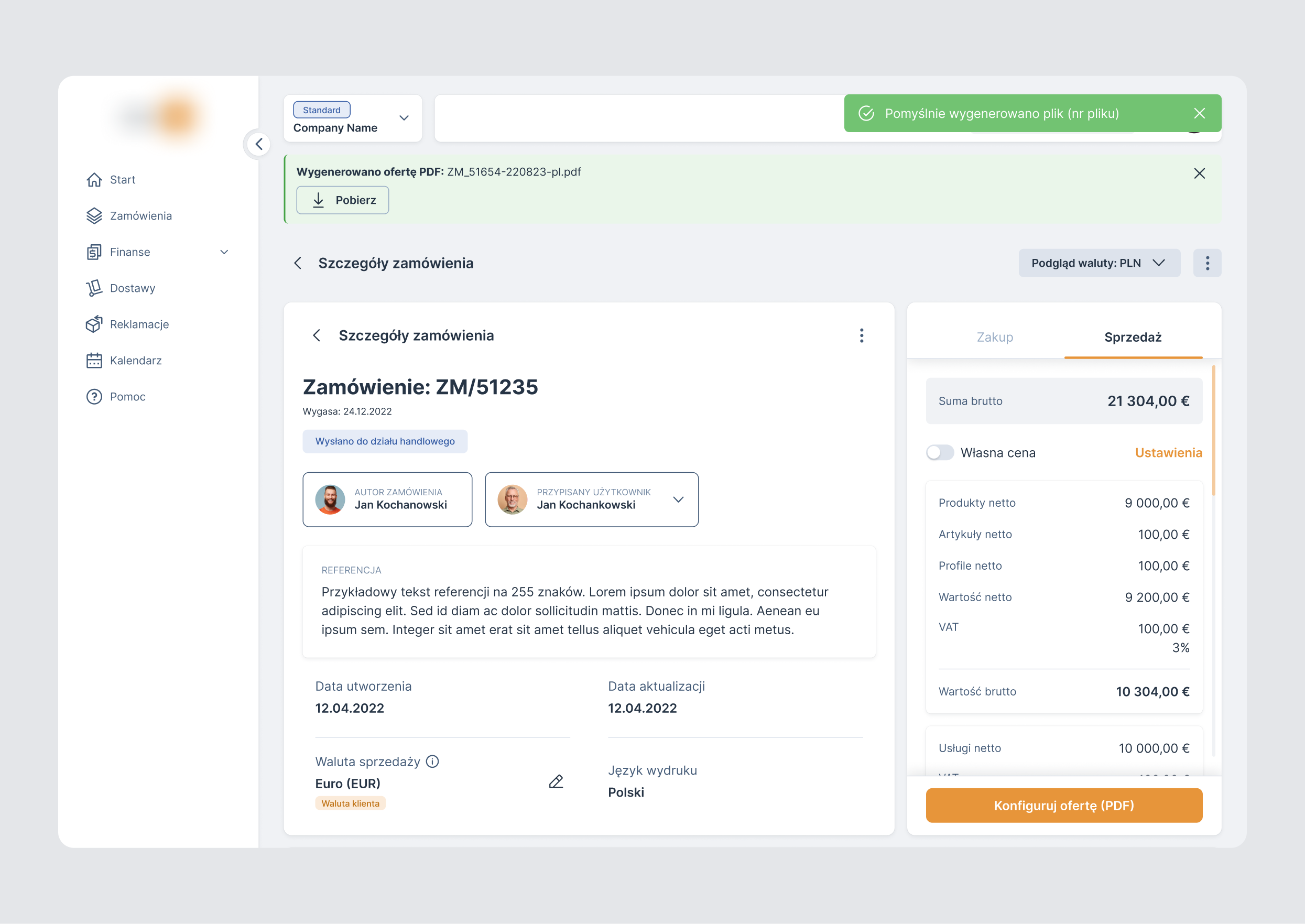
- The ability to download the generated PDF file.
- The ability to set print parameters, such as print type and other options, before generating the file.
2. UX process
The scope of UX work on the project was limited, so I focused primarily on research - market analysis and user interviews.
As part of the UX research, I analyzed document generation in tools such as Salesforce, Shopify, and Stripe to understand best practices and existing patterns in this area.
In parallel, my team and I conducted user interviews. During the sessions, I asked general questions about using the app, and we also walked through selected solutions with participants, observing their behavior and asking about their decisions.
Based on these interviews, I identified key user needs and issues related to print generation, such as:
- About 50% of users use tablets and phones, often low-end phones, so we simplified the design, limited animations, adapted the interface to mobile and tablet devices, and adjusted font sizes and contrasts to WCAG AA level.
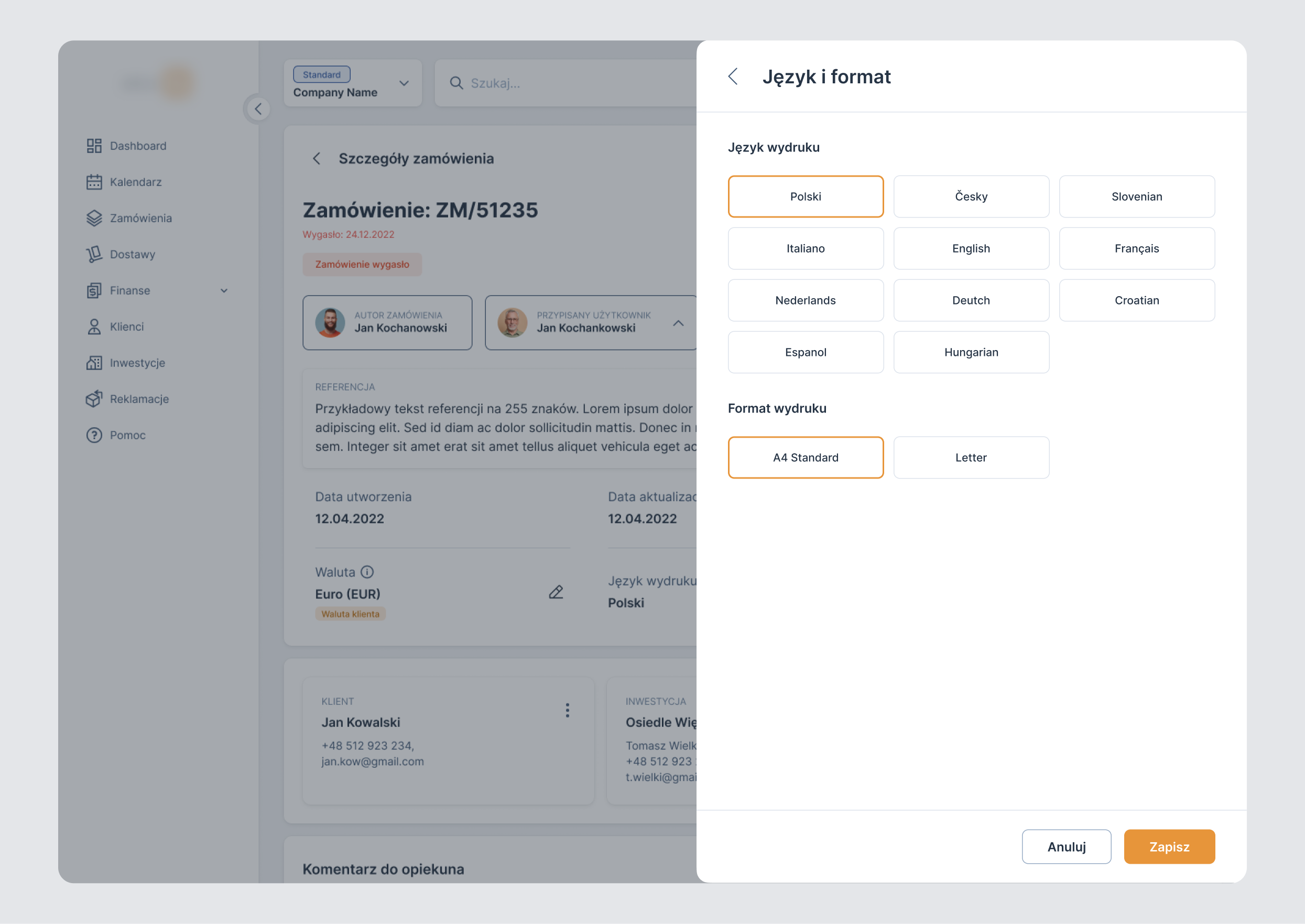
- Most users need a quick preview, so we added the ability to generate and print a product list as a simplified cost estimate, including letter-size.
- About 10-20% of users are from the German market, where some still use fax, so we added fax to the contact information.
- Most users want to brand their offers, so we added intros, endings, and a logo using a text editor.
- Some users on low-end devices reported performance issues, so the generation bar was reduced to a percentage indicator.
3. Design process
The interface was designed around a clear information hierarchy and clear user guidance through the print generation flow, with visible operation status at each step. I kept the experience consistent with the existing design system while designing new components tailored to this specific process. I solved the main problems in the following ways...
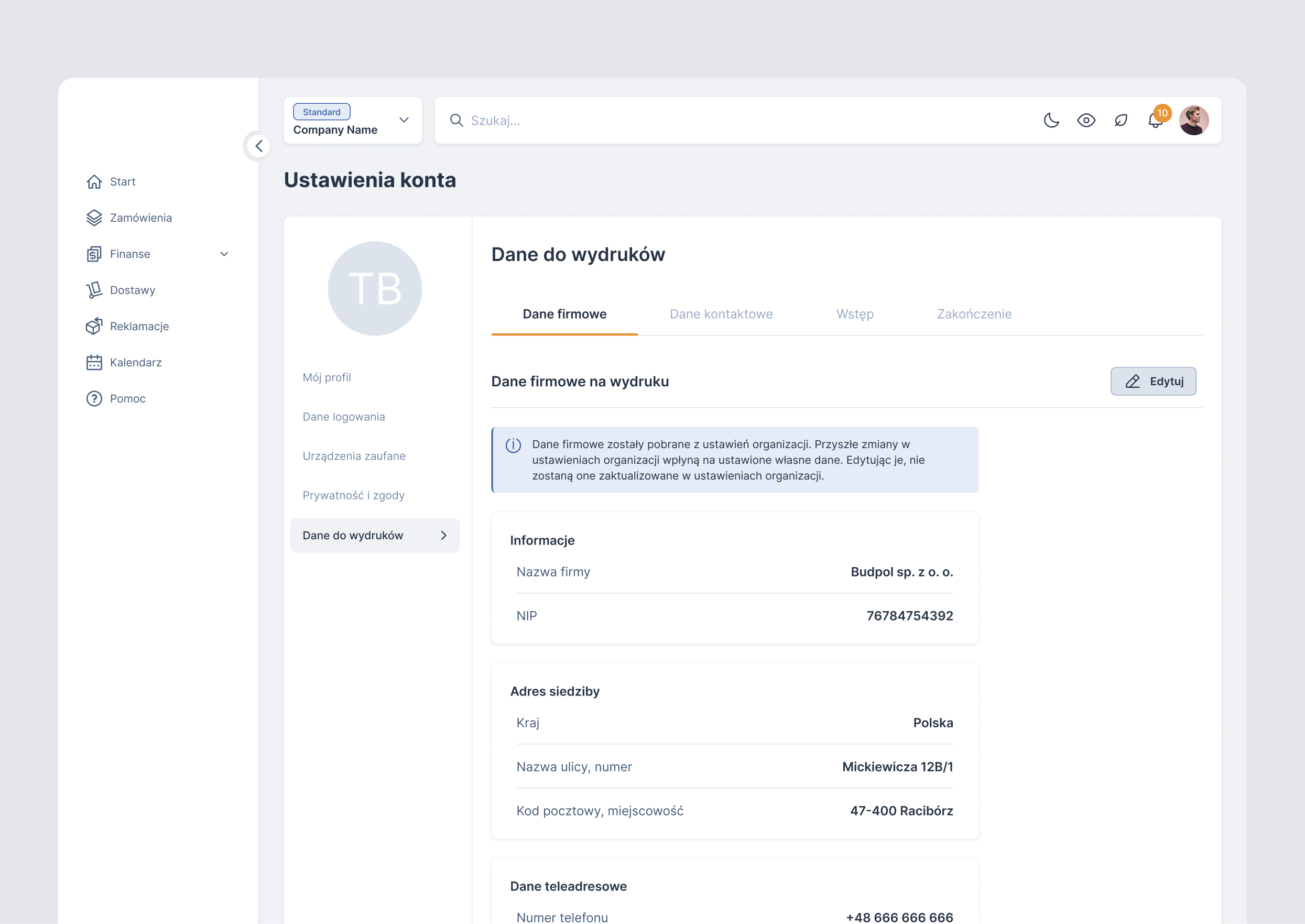
Global print parameter settings
I decided to place print settings inside user settings because each seller operates with their own data and needs an individual document configuration. As part of this solution, I also introduced a text editor that allows flexible management of print content, including the introduction, closing section, and additional information.
PDF print generation
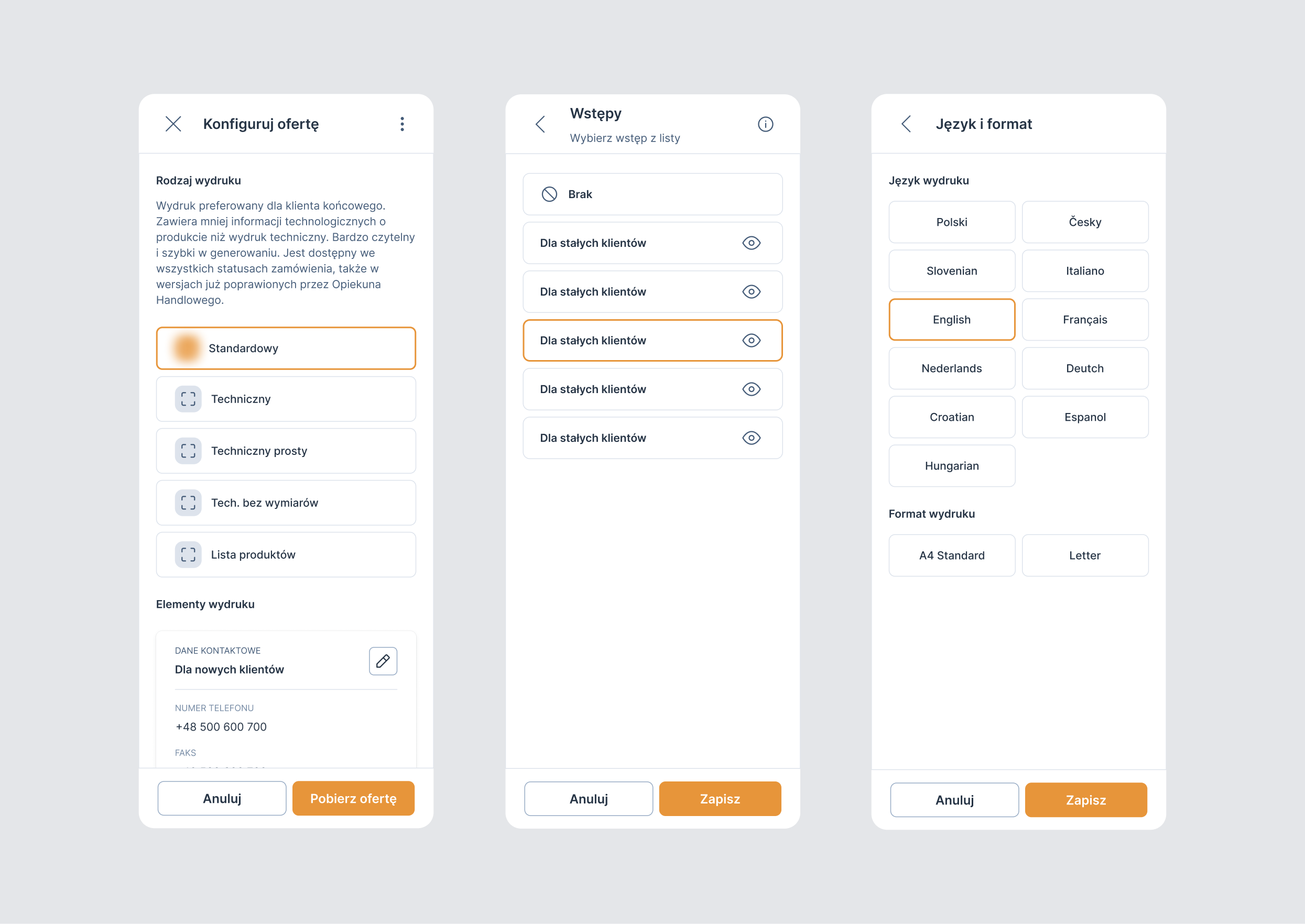
I solved the problem of generating a PDF file and made it possible for the user to download it. I also added the ability to set print parameters.
Progress bar - Print generation process
Generated PDF ready to download
Mobile views